Furniture and home5 min read
3D content on social media for a furniture brand
Aspect ratios, clip lengths and the 3D clips and renders to make for Instagram, Pinterest and TikTok, and what Meta closing its AR effects platform changed.
By CharpstAR · 4 Oct 2023 · Updated 29 Sept 2026
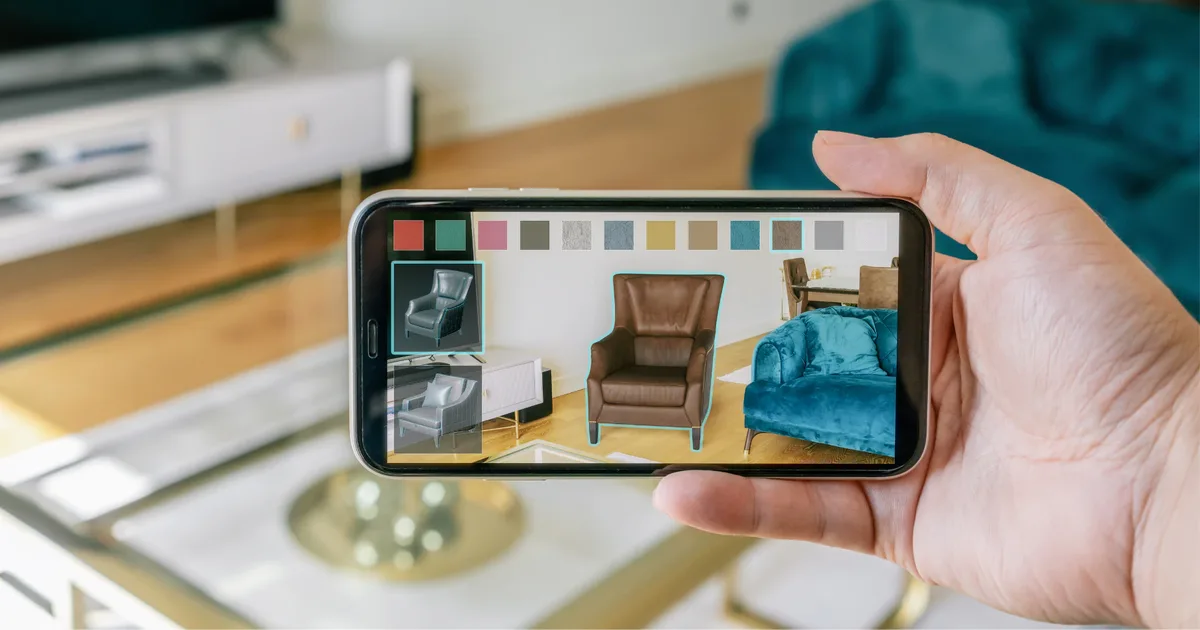
Once a furniture or home brand has 3D models of its products, the social media team usually asks for them soon after. From one model you can render as many images and clips as you need, with no new shoot. Each platform still wants its own shape and pace, so plan the outputs per platform before anything is rendered.
Aspect ratios per platform
Instagram and TikTok are watched almost entirely on phones held upright, so feed video there is vertical. Pinterest is different. Its creative guidance recommends a vertical 2:3 ratio, around 1000 by 1500 pixels, and warns that images with larger ratios may get cut off in the feed.
Render each shape from the 3D scene instead of cropping one master:
- 9:16 for Reels, Stories and TikTok.
- 2:3 for Pinterest.
- 4:5 or 1:1 for the Instagram grid, where a taller image takes up more of the feed.
For each ratio, move the camera in the scene and frame the product again before rendering. Cropping a 9:16 render down to 2:3 tends to cut into the product or leave it off centre.
What to post on Instagram, Pinterest and TikTok
For Instagram Reels we'd put movement in the first second and keep to one subject. With furniture that's usually something changing: a sofa module sliding into place, a fabric switching on a cut, a stove door opening. For grid stills we'd render the product in a furnished room, styled the way your customers' homes look.
Pinterest behaves more like a search engine than a feed, and people use it to plan rooms. A render of a complete, styled room with your product in it, where everything else in the scene is believable too, suits it well. Pins get saved and found again months later, so keep the product page URLs they point to stable.
On TikTok most videos are a person talking to camera, which makes pure renders a hard fit. 3D works better as a cutaway inside a video with a person in it. Someone explains a sofa, and the video cuts to an exploded view of the frame, or to two seat depths side by side at real scale.
On all three platforms, the model is most useful for shots a camera can't get: a cutaway, an exploded view, a size comparison, a cushion compressing under weight, the airflow in a stove.
Furniture
Three-seat sofa
Five fabrics, black metal legs.

A sofa in five fabrics. Each angle and fabric you can reach by turning it here could be rendered as a clip.
A first batch of content from one model
For one hero product, a reasonable first batch looks like this:
| Output | Format | Purpose |
|---|---|---|
| Turntable, 5 to 8 seconds | 9:16 | Reels and TikTok, shows the whole object |
| Variant sweep across fabrics or finishes | 9:16 | Shows the whole colour range in one clip |
| Styled room still, two variations | 2:3 | Pinterest, saved and re-found later |
| Detail macro of a joint, seam or handle | 4:5 | Grid post about build quality |
| Exploded or cutaway view | 9:16 | Explains construction, useful in paid too |
| Scale comparison against a known object | 9:16 | Shows the size next to something familiar |
The variant sweep matters most for modular products, where a sofa can come in more layouts than a shoot could cover. The free sample covers one product, which is enough to try the turntable and the fabric sweep before you model a whole range.
Meta Spark closed in January 2025
If your plan includes a branded AR filter, check this first. Meta shut down the Meta Spark platform on 14 January 2025. Since then, AR effects made by third parties, brands included, are no longer available on Instagram, Facebook or Messenger. Meta's own effects carry on, and Meta said it was moving resources to new form factors such as glasses.
A lot of brand budget went into AR filters on social between 2019 and 2023, and most of that kind of work has now gone. Brands can still post rendered images and video, and they can still run AR on channels they control.
We'd put the interactive part on your own product page for that reason. The AR viewers built into iOS and Android open from a link and don't depend on any social platform's plans. A social post can carry the clip and link to the product page, where the shopper can place the product in their room. The viewer and AR button we put on product pages (solutions) run from the same model file as the clips, so the page and the post show the same sofa. The cost is set per product; see prices.
Production notes
Render once at the highest resolution you're likely to need, since you can always scale down for a platform. If you export at feed size and later need a print crop, you have to render again.
Keep the scene files as well as the finished renders. Next season's campaign can reuse the same scene with new lighting and new camera positions. If a provider hands over only flattened images, every new angle means going back to them.
Check the material against the real product. Models built from CAD, as Contura's stoves were, start with the right dimensions, but the finish still has to be compared by eye. If a fabric renders slightly too warm, someone will order it expecting that colour. Posts get shared and screenshotted long after a fabric is discontinued, so a wrong colour on social stays around longer than one on the product page.
MELIMELI sells furniture mostly online and found content for large pieces expensive to produce.
Before commissioning anything, agree in writing which files you get and in which formats.
Sources
- Pinterest, creative best practices.
- Meta, a Meta Spark update.
- Apple, AR Quick Look.
- Google, Scene Viewer documentation.