Furniture and home9 min read
3D Chair Configurator for Furniture and Office Shops
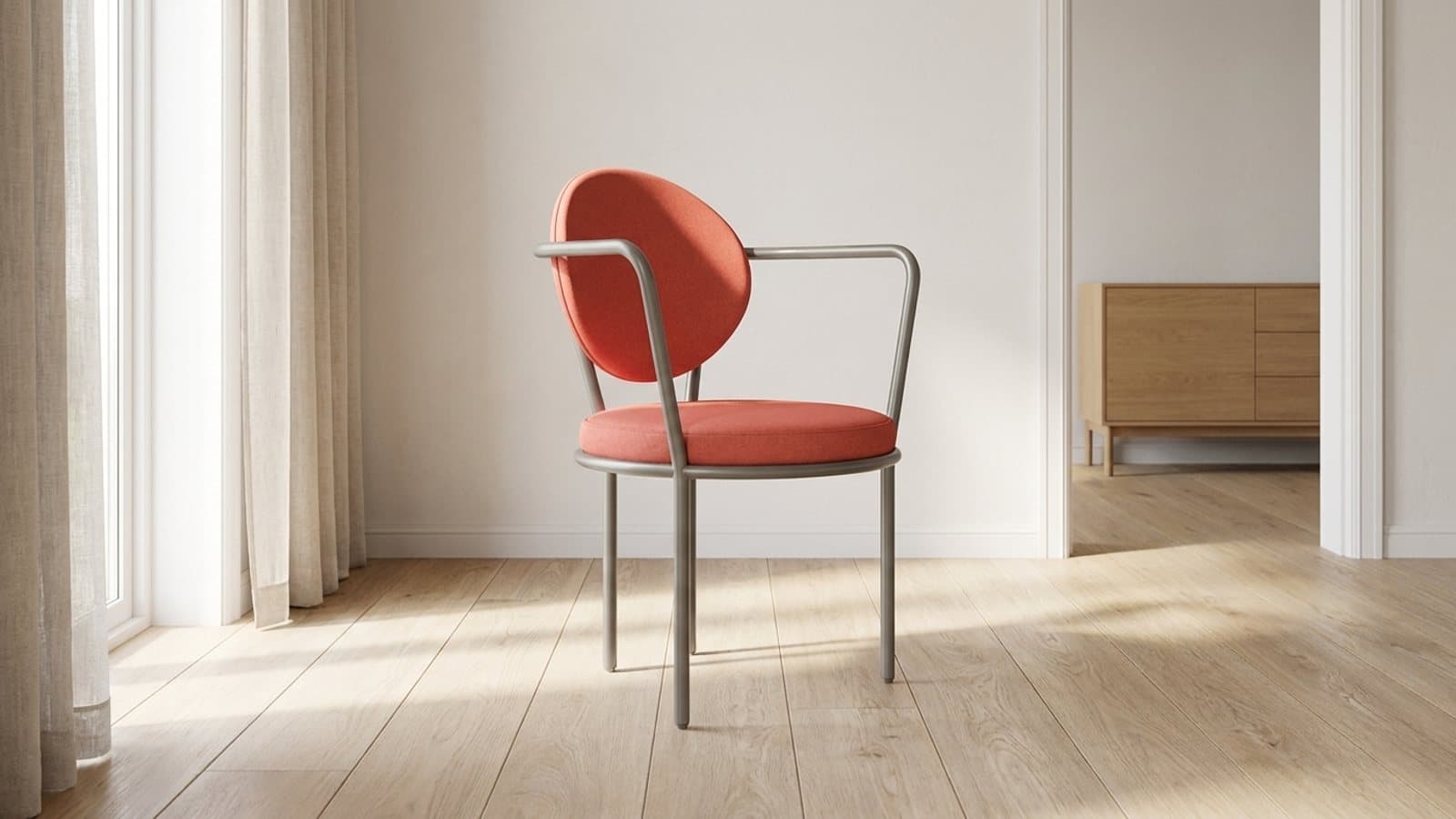
With a 3D chair configurator on the product page, customers try each fabric on the chair and check its size in their own room before they order.
By CharpstAR · 8 Nov 2026
Most chairs are sold in several fabrics, and the fabric is the choice customers find hardest to make online. A small square swatch on a product page says little about how a pale blue or a dusty rose looks on a whole seat and back.
Office chairs add a second problem. A company furnishing a meeting room or a new floor often orders ten or twenty chairs in one fabric. If the colour turns out wrong, the whole order may come back. So buyers ask for fabric samples first, or put the decision off.
A 3D chair configurator shows the chair itself on your product page. The customer picks a fabric and sees it on the full chair, turns the chair to look at the back and the base, reads the measurements and places it at full size in their own room with augmented reality (AR).
For a chair sold in several fabrics, a CharpstAR configurator is part of the Value plan, from 20 dollars per model per month with a minimum of 100 models over 24 months. The 3D model, hosting, updates and implementation are included, and the first product with colour and material options is built free.
Try the office chair below.
Furniture
Office chair
Five fabrics on one chair.

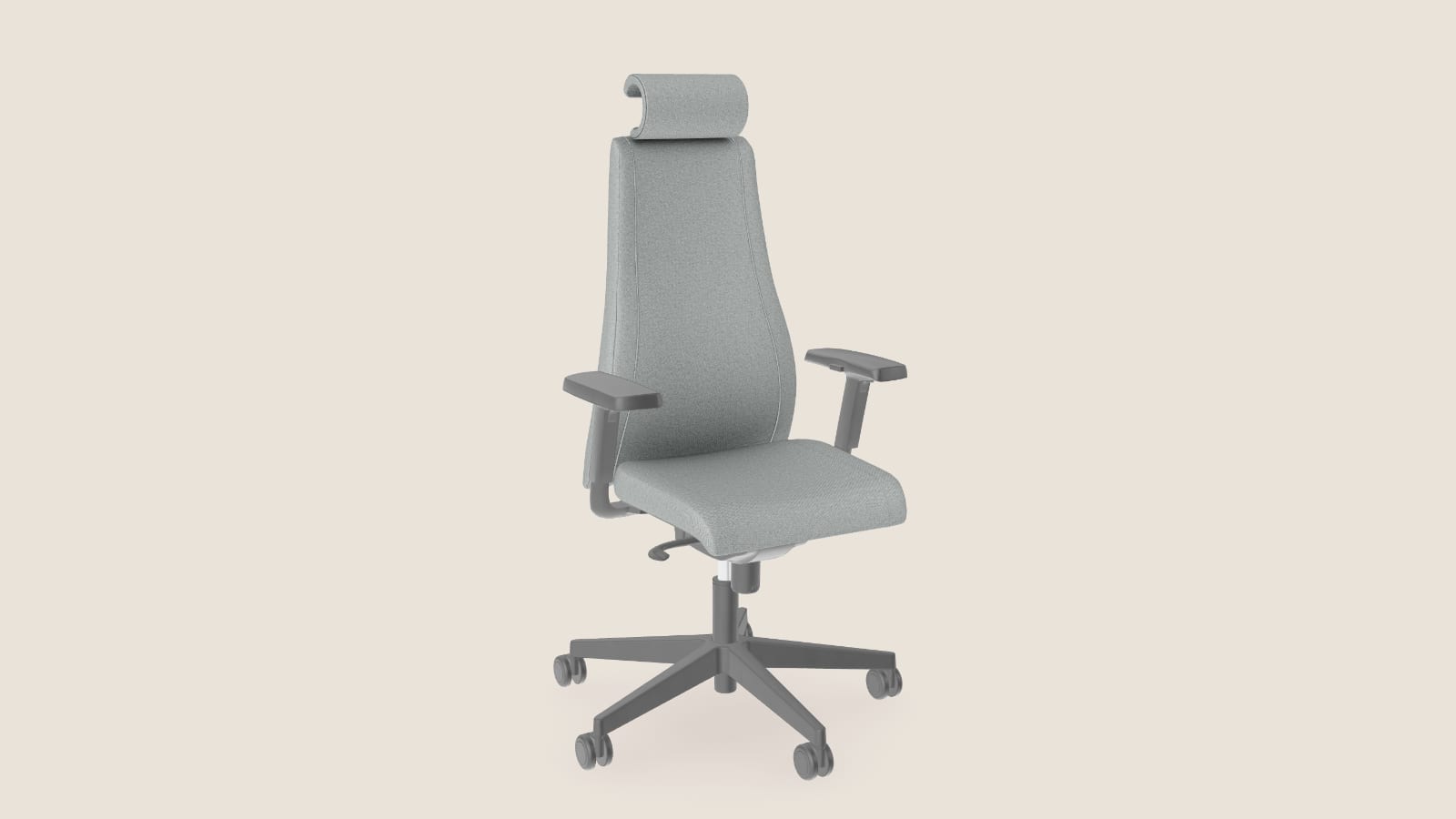
Try the fabric tiles, then drag to turn the chair around. Open the Dimensions tab for its measurements. On a phone, tap View in your room to see it on your floor.
What Is a 3D Chair Configurator?
A 3D chair configurator is a 3D product configurator for chairs. It replaces the static photos on the product page with an interactive 3D model that changes when the customer changes an option. All the fabrics belong to one model, so a new choice shows on the chair straight away.
In the demo above, customers can:
- Switch between five fabrics on the same chair
- Turn the chair to see the back, the headrest and the five-star base
- Zoom in on the weave of the fabric
- Check the width, depth and height
- Place the chair in their own room with AR on a phone
The same set-up works for dining chairs, armchairs, bar stools and lounge chairs. On chairs that have them, it can also show a frame or leg finish, or switch parts on and off, such as a headrest or a pair of armrests.
Why Use a 3D Chair Configurator for E-commerce?
Help More Customers Decide
A fabric swatch asks the customer to picture the colour on the whole chair. A configurator shows the colour on the whole chair. Customers who can judge the result for themselves have fewer reasons to leave the page to think about it.
Support Larger Orders
Chairs are often bought in sets, four or six for a dining table and a dozen or more for an office. A buyer who has seen the fabric on the chair, from every side, can order the full set with more confidence than from a swatch.
Reduce Returns
Returned chairs cost you freight and handling, and sometimes a product you can no longer sell as new. Colour and size are common reasons for a return. With the fabric shown on the chair and the chair placed in the room at its real size, customers can check both before they order.
Answer Questions on the Product Page
Questions such as "is the grey warm or cool?" and "how high is the back?" can be answered on the product page. The customer zooms in, turns the chair or opens Dimensions instead of writing to customer service. Customers who can see the weave up close are also less likely to wait for a fabric sample by post.
Lower Photography Costs
A chair in five fabrics means photographing the chair in each fabric, and each new fabric needs another shoot. With one 3D model, we add a new fabric to the same model. The model can also give you rendered product images for the shop, the catalogue and your ads.
Use Case: A High-Back Office Chair in Five Fabrics
An office chair is a good first product for a configurator. It comes in several fabrics, it is often ordered in numbers, and its buyers need to know the fabric and the size before they order.
How the Configurator Works
The customer opens the product page and the chair loads in the 3D viewer. Then they:
- Turn the chair with a finger or the mouse
- Tap a fabric tile to change the upholstery
- Zoom in on the seat to see the weave
- Open Dimensions to read the width, depth and height
- On a phone, press View in your room to see the chair next to their own desk
The chair in the demo is 70 cm wide, 68 cm deep and 124 cm high with its headrest. Its five fabrics, Graphite, Pearl, Mist, Sage and Rose, are all on one 3D model.
Frames, Parts and Sizes
Many chairs have a second choice besides the fabric, such as the colour of the frame or the legs. A second choice can be added to the same model. Parts that are sold as extras, such as a headrest or armrests, can be switched on and off.
If a chair is sold in two different heights or widths, each size is its own 3D model, and the product page shows the one the customer has chosen. Each size counts as one model on the plans below.
How Orders Reach Your Shop
The customer orders through your own checkout, and the chosen fabric is passed on with the order as an option, so your warehouse or your supplier knows which chair to send.
You can read how brands use our configurators on their own sites in our case studies. For more examples of what a configurator can show, see our product configurator examples.
What You Need to Get Started
To build a chair configurator, we need:
- A link to the product page
- The list of fabrics and finishes you sell, with their names and option codes
- Photos of the chair from several sides, and a close photo or sample of each fabric
- 3D files, CAD files or drawings from the manufacturer, if you have them (they help, but they aren't required)
You don't need to change your shop system or your checkout.
How to Add a Chair Configurator to Your Website
Step 1: Send Us One Chair
Send a link to the product page and the list of fabrics. You can do it from the configurator page.
Step 2: Get a Plan and a Price
Within a working day, we tell you what the chair needs and what it costs. The first product with colour and material options is free, so you can test the configurator on your own product page before you sign anything.
Step 3: We Build the Model
We build the 3D model with every fabric, check the measurements against your drawings and make the AR files for iPhone and Android. A fabric configurator is usually live in about two weeks.
Step 4: Go Live
The configurator goes on your product page as one snippet on Shopify, Shopware, Magento, WooCommerce or a custom-built site, and we help you place it.
How to Measure the Results
Compare the chairs that have a configurator with the figures you already track, before and after launch:
| KPI | What to measure |
|---|---|
| Conversion rate | Whether more visitors to the chair's page place an order |
| Units per order | Whether customers order more chairs at a time |
| Return rate | Whether fewer chairs come back for the wrong colour or size |
| Customer service questions | Whether there are fewer questions about fabrics, colours and sizes |
| Sample requests | Whether fewer customers ask for fabric samples before they order |
| Photography costs | How many photo shoots you skip when a fabric is added |
Results depend on your chairs, your prices and your traffic, so compare the same chairs over the same season.
How Much Does a 3D Chair Configurator Cost?
The plan depends on what the customer can change on the chair.
| What you need | Plan and price | What is included |
|---|---|---|
| A 3D viewer and AR, no options | Basic, from 10 dollars per product (SKU) per month, at least 100 variants over 12 months | 3D models, AR and web integration, hosting, updates, implementation |
| Fabrics and colours | Value, from 20 dollars per model per month, at least 100 models over 24 months | Everything in Basic, plus the colour and texture configurator, custom dimensions, annotations, 5 rendered product images and a 360 render viewer |
| Integrations and large ranges | Enterprise, custom price | Everything in Value, plus custom integrations, a tailored setup and dedicated support |
On the Basic and Value plans you can replace up to 30% of your models each year at no extra cost, so a new collection can take the place of an old one. There are no setup fees. Our article on 3D product configurator cost explains what goes into a quote, and every plan is on the prices page.
Is a Chair Configurator Right for Your Shop?
A configurator is likely to pay off if your chairs:
- Come in several fabrics, colours or frame finishes
- Are often ordered in sets or in larger numbers
- Lead customers to ask for fabric samples before they buy
- Come back too often because the colour was not what the customer expected
- Get new fabrics every season
If a chair comes in one fabric only, a 3D viewer with AR on the Basic plan may be enough. Our article on fabrics and materials in a 3D product configurator goes further into how fabrics are shown in 3D.
Get a Price for Your Own Chair
CharpstAR builds the 3D models, hosts them and puts the configurator on your product page for a monthly price per model.
Send us one chair and we will reply within a working day with what it needs and what it costs. The first product with colour and material options is built free. You can also try our configurator demos.
Questions
What can a customer change in a 3D chair configurator?
A customer can change the fabric or colour of the upholstery. On chairs that have them, they can also change the frame or leg finish and switch extra parts such as a headrest or armrests on and off. Each change shows on the chair at once.
Can customers see the chair in their own room?
Yes. On a phone, View in your room places the chair at its real size in the room through the camera, on iPhone and Android, without an app.
Does it work for dining chairs and armchairs as well as office chairs?
Yes. Any chair sold in several fabrics or finishes can use the same configurator. The demo on this page is an office chair, and our 3D sofa configurator article shows the same idea on a sofa.
How much does a chair configurator cost per month?
Fabrics and colours are part of the Value plan, from 20 dollars per model per month with a minimum of 100 models over 24 months. The first product with colour and material options is built free.
Which shop systems does it work with?
Shopify, Shopware, Magento, WooCommerce and custom-built sites take the configurator as one snippet on the product page, and orders go through your own checkout.