3D for e-commerce8 min read
3D Product Configurator Cost: Plans, Quotes and Setup
What a 3D product configurator costs for an online shop, what the monthly price includes, and when a range is quoted instead.
By CharpstAR · 19 Oct 2026
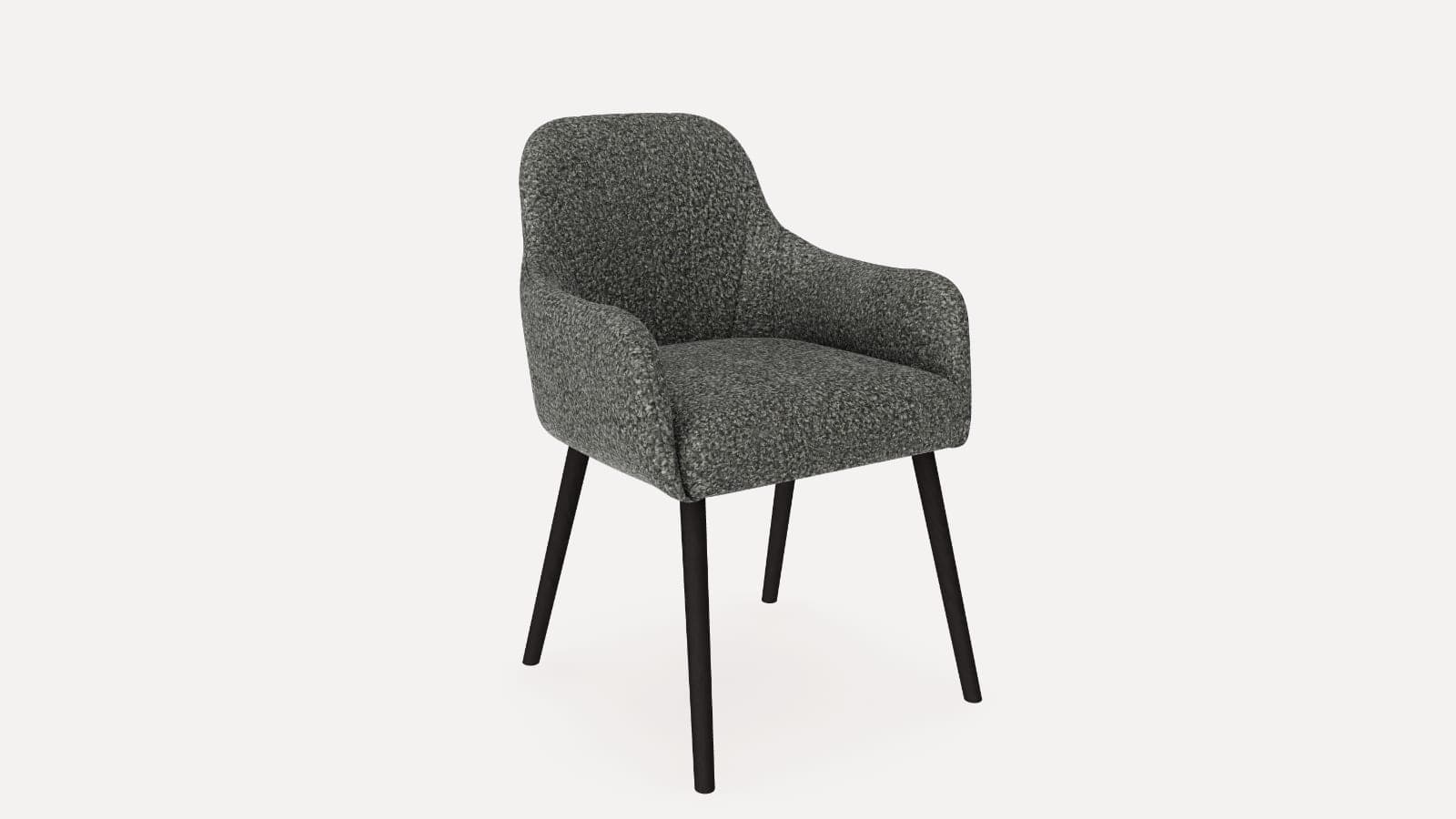
Imagine you sell a dining chair in five fabrics.
Your product page shows one photo per fabric, if the photographer had time for all five. A customer likes the shape but wants to see the moss green next to their oak table, and the photo of that fabric is a flat swatch. They email customer service, wait for an answer, and buy the chair somewhere else.
A 3D product configurator lets that customer change the fabric on the chair itself, turn it round, look at it up close and stand it in their dining room with augmented reality (AR).
For a product with colour and material options, a CharpstAR configurator is part of the Value plan, which starts at 20 dollars per model per month for at least 100 models over 24 months. The 3D models, hosting, updates and implementation are included, and there are no setup fees. Modular and made-to-measure ranges have more rules to build, so we quote them per range.
Try the chair below. It is the kind of configurator the Value plan covers.
Furniture
Dining chair with arms
Five fabrics on one chair.

Pick one of the five fabrics and zoom in on the seat to see the weave. Open Dimensions for the size. On a phone, the AR button stands the chair at your own table.
What Is a 3D Product Configurator?
A 3D product configurator is an interactive 3D model on your product page that customers can change. They pick the options you sell and see the product update on screen.
In the chair above, customers can:
- Switch between five fabrics on the same chair
- Zoom in close enough to see the texture of each fabric
- Turn the chair to see the back, the arms and the legs
- Check the width, height and depth
- Place the chair in their own room with AR on a phone
A configurator suits any product sold in colours, fabrics, finishes or parts, such as chairs, sofas, beds, lamps, outdoor furniture and kitchen products.
Why Use a 3D Product Configurator for E-commerce?
Increase Conversion by Showing Every Option
Customers buy with more confidence when they can see the exact version they're ordering. A fabric that only exists as a small swatch is hard to choose. On the chair in the demo, every fabric is shown on the whole chair, from every side.
Reduce Returns
Upholstered furniture is expensive to send back. When customers can see the fabric up close and check the size in their room first, fewer orders should come back for the wrong colour or size. You can measure it with the return rate in the table below.
Fewer Questions to Customer Service
Questions such as "how does the green look in daylight?" or "how wide are the arms?" are answered on the product page, so customers don't have to email you and wait for a reply.
Lower Photography Costs
One 3D model shows every fabric. When you add a new fabric to your range, it is added to the same model, so there's no new photo shoot for every version. The same model can also produce product images and AR.
Use Case: A Dining Chair in Five Fabrics
A dining chair is a good first product for a configurator. It sells in several fabrics, and the fabric is the main decision the customer makes.
How the Chair Configurator Works
The customer opens the product page and the chair loads in the 3D viewer. Then they:
- Turn the chair with a finger or the mouse
- Tap a fabric tile to change the cover
- Zoom in on the seat to see the weave
- Open Dimensions to read the width, height and depth
- On a phone, press the AR button to stand the chair at their table
All five fabrics are part of the same 3D model, so the chair changes straight away when a customer taps a fabric. We have built this chair in 52 fabrics, and the demo shows five of them. On the 3D sofa configurator the same method puts five fabrics on a three-seat sofa.
How Orders Reach Your Shop
The order goes through your own checkout. It arrives in your shop with the chosen fabric, its option code and the price, so your team and your supplier know which cover to send.
You can read how furniture and home brands use our configurators on their own sites in our case studies.
What the Shop Supplies
To build a colour and material configurator, we need:
- A link to the product page
- The list of options as you sell them, for example the fabrics with their names and prices
- Any 3D files, drawings or photos you already have (CAD files help but aren't required)
- Fabric samples or close photos of each fabric and finish
You don't need to rebuild your shop or change your checkout.
How to Add a 3D Product Configurator to Your Website
Step 1: Send Us a Product
Send a link to the product page and the option list. You can do it from the configurator page.
Step 2: Get a Plan and a Price
Within a working day, we tell you which kind of configurator the product needs and what it costs. The first product with colour and material options is free, so you can test it on your own page before you sign anything.
Step 3: We Build the Model
We build the 3D model with every fabric and finish, check the measurements against your drawing and make the AR files for iPhone and Android. A colour and material configurator is usually live on your product page in about two weeks.
Step 4: Go Live
The configurator goes on your product page as one snippet on Shopify, Shopware, Magento, WooCommerce or a custom-built site, and we help you place it.
How to Measure the Return on a Configurator
Compare the configured products with the figures you already track, before and after:
| KPI | What to measure |
|---|---|
| Conversion rate | Whether the configured products convert more visitors into customers |
| Add-to-cart rate | Whether more visitors who open the configurator add the product to the cart |
| Return rate | Whether fewer orders come back for the wrong colour or size |
| Customer service questions | Whether there are fewer questions about fabrics, colours and sizes |
| Photography costs | How many photo shoots you no longer need when you add a fabric |
| Time to launch a new option | How long it takes to show a new fabric on the product page |
Results depend on your products, your traffic and your prices, so compare the same products over the same season.
How Much Does a 3D Product Configurator Cost?
The cost depends on the kind of configurator your products need.
| Kind of product | How it is priced | What is included |
|---|---|---|
| 3D viewer and AR, no options | Basic plan, from 10 dollars per product (SKU) per month, at least 100 variants over 12 months | 3D models, AR and web integration, hosting, updates, implementation |
| Colours, fabrics and finishes | Value plan, from 20 dollars per model per month, at least 100 models over 24 months | Everything in Basic, plus the colour and texture configurator, custom dimensions, annotations, 5 rendered product images and a 360 render viewer |
| Modular or made-to-measure ranges | Quoted per range | The 3D models of your modules, the rules for which parts fit and what each combination measures and costs, and the hand-over of orders to your shop or CPQ system |
| Integrations and large catalogues | Enterprise plan, custom price | Everything in Value, plus custom integrations, a tailored setup and dedicated support |
At the starting price, 100 models on the Value plan come to 2,000 dollars a month. On the Basic and Value plans you can replace up to 30% of your models each year, for example when a collection changes.
A modular range costs more to build than a chair in five fabrics, because every module and every rule has to be made and tested. The modular product configurator article explains what goes into that quote. If your options change the price, such as a fabric grade that costs more, read how pricing rules and lead times are set up in a configurator.
See all plans on the prices page.
What Changes the Price
- The number of models you put in 3D
- The kind of configurator, colour and material or modular
- How many rules connect the options, such as parts that only fit together in some combinations
- Whether orders have to be handed to an order system or a CPQ tool
Is a 3D Product Configurator Right for Your Business?
A configurator may be a strong fit if your products:
- Come in several colours, fabrics or finishes
- Are hard to show with one photo per version
- Have an order value where returns are expensive
- Make customers ask about colours and sizes before they buy
- Get new fabrics or finishes every season
If your products come in one version only, a 3D viewer with AR on the Basic plan may be enough.
Get a Price for Your Own Product
CharpstAR builds the 3D models, hosts them and puts the configurator on your product page for a monthly price per model.
Send us one product and we'll reply within a working day with what it needs and what it costs. You can also try our other configurator demos.
Questions
How much does a 3D product configurator cost per month?
For colour and material options, the Value plan starts at 20 dollars per model per month, for at least 100 models over 24 months. Modular and made-to-measure ranges are quoted per range.
Are there setup fees?
No. The plans have no setup fees, and the 3D models, hosting, updates and implementation are included in the monthly price.
Can I try a configurator before I sign?
Yes. The first product with colour and material options is built for free, and you can test it on your own product page. For a modular range, we build a working demo on one of your own products before you decide.
How long does it take to set up?
A colour and material configurator is usually live in about two weeks from when we receive your files. A modular range takes longer, because its rules have to be built as well.
Which shop systems does it work with?
It goes on your product page as one snippet on Shopify, Shopware, Magento, WooCommerce or a custom-built site, and orders go through your own checkout.