3D for e-commerce8 min read
What Is 3D Product Visualization? Five Types Explained
Model, viewer, render, configurator and AR: what each type of 3D product visualization does for an online shop, what it costs and which to buy first.
By CharpstAR · 21 Mar 2023 · Updated 14 Oct 2026
Part of 3D models for e-commerce: the complete guide
Imagine a customer looking at an oak sideboard on your site.
There are four photos, all from the front, and a line of measurements under the price. She wants to know what the back looks like, whether the oak is as warm as it seems on her screen, and whether 160 cm will leave room for the door. None of the photos can tell her, so she saves the page and goes to bed.
3D product visualization gives her those answers on the product page. Vendors use five words for it almost as if they meant the same thing: model, viewer, render, configurator and AR. They are five different things with different costs, and this guide explains each one before your first sales call.
What Is 3D Product Visualization?
3D product visualization means showing a product from a digital 3D model of it, on your product page, in your images or in the customer's own room. The model comes first, and the other four types are ways of using it.
The 3D Model
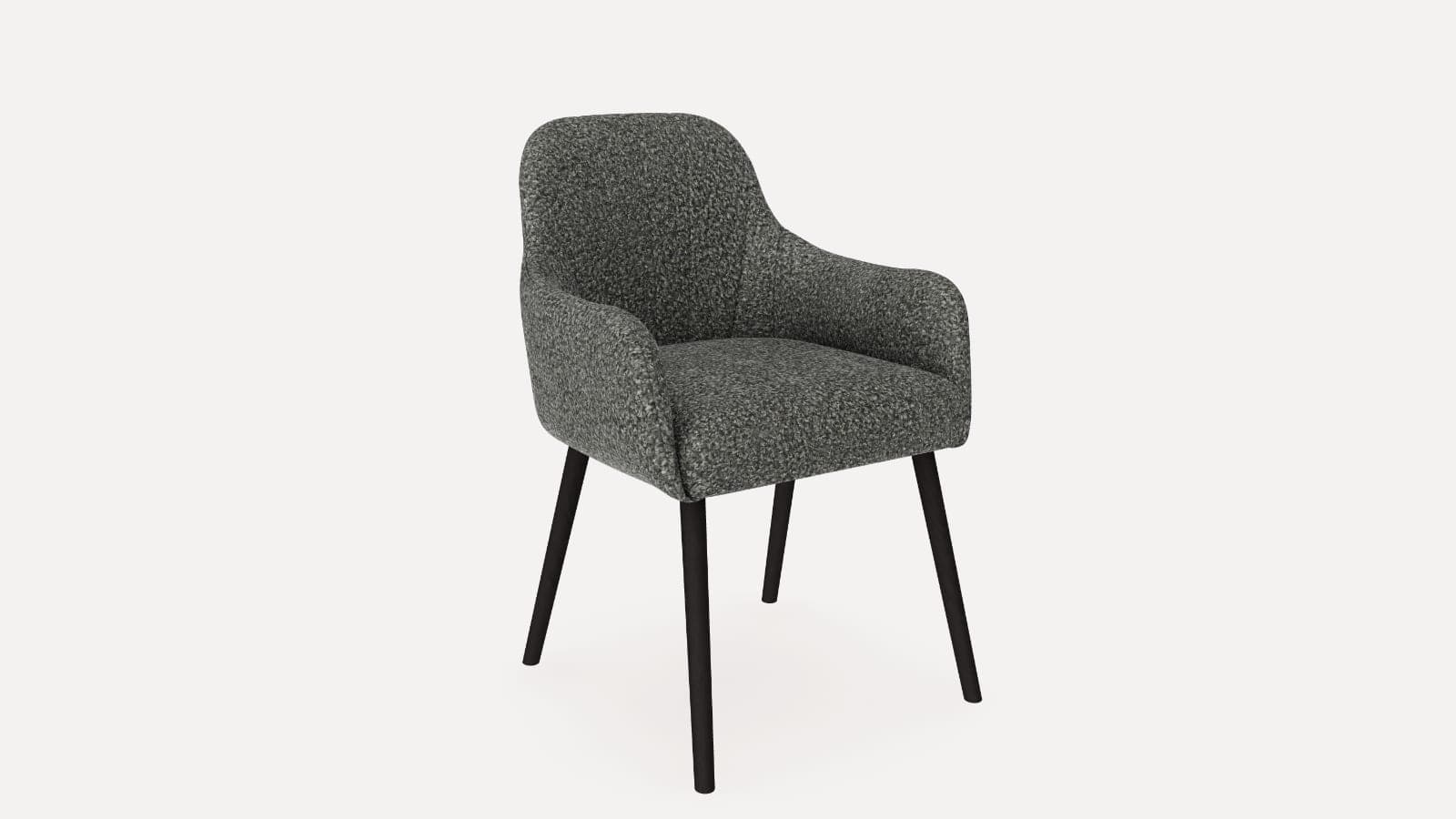
The model is a digital copy of the product: its shape, and the materials that make the oak read as your oak. It has to match the real measurements, because once the model goes into AR at real size, a wrong measurement is something the customer can walk round. A product page needs it in two file formats, GLB for the web and Android and USDZ for Apple devices, and we deliver both.
We keep each model small enough to load quickly on mobile data, so the product page stays fast.
The 3D Viewer
The viewer is the box on your product page that shows the model. Customers turn it, zoom in on the finish and read the dimensions, on a phone or a computer, with no camera and no app. It can also carry dimension lines and hotspots with product facts.
The Render
A render is a still image or a video made from the model in software that simulates light. You choose the room, the light and the camera angle, and you get an ordinary image file that works anywhere a photo works, print included.
The Configurator
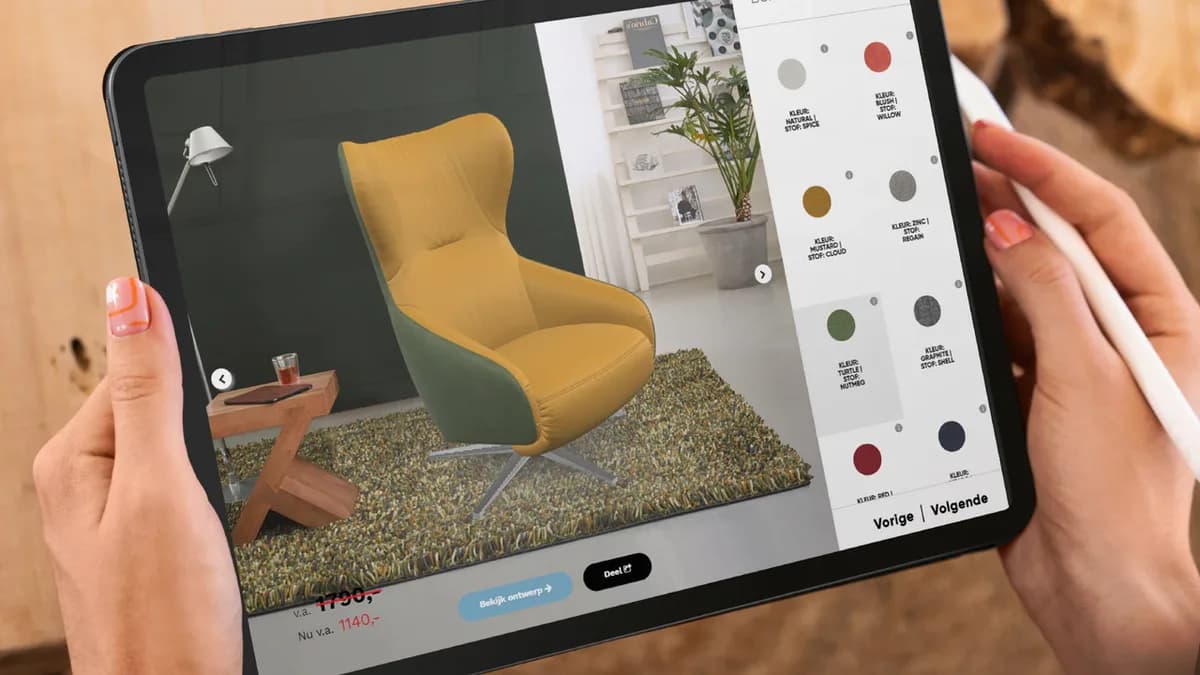
A configurator lets the customer change the product and see the result in 3D straight away: fabric, finish, legs, modules, size, or the side of the chaise. It is the viewer plus your product rules, meaning which options exist, which combinations are allowed and what each one costs. The sofa configurator on our site shows modules and fabrics on one sofa. A configurator is the most expensive of the five and is only worth building for products that come in options.
AR
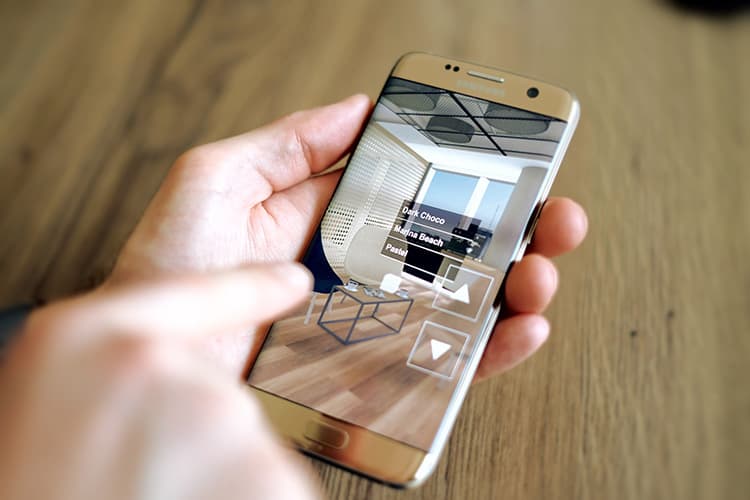
AR, augmented reality, places the model in the customer's own room at real size, through the phone camera. The customer presses a button on your product page and the product stands on their floor. The AR viewer is built into iPhones and Android phones, so there is nothing to install. For you, the size question gets answered on the product page, before anyone writes to customer service or sends the product back. For furniture, appliances, lighting and large decor, whether the product fits the room is often the question holding up the order.
How the Five Fit Together
| Thing | What it is | Where it lives | Needs |
|---|---|---|---|
| Model | The 3D asset itself | A file, GLB and USDZ | Accurate dimensions, references |
| Viewer | Interactive rotation in the page | Product page, all devices | The model, a poster, page integration |
| Render | Still image or video from the model | Anywhere a photo goes | The model, a lit scene |
| Configurator | Shopper changes options live | Product page | The model, plus option rules and pricing data |
| AR | Model at real size in the room | The shopper's phone | The model in both formats, an AR button |
The model is built once, and the viewer, the renders, the configurator and AR all reuse it.
Why Use 3D Product Visualization in Your Shop?
Customers See the Whole Product Before They Order
The viewer shows the back, the legs and the grain of the wood, which front-facing photos leave out. Fewer customers have to email you to ask.
Size Is Settled Before Delivery Day
AR puts the product in the customer's room at its real measurements. That deals with the returns that happen because something was the wrong size for the space. It will not help with returns caused by colour disappointment or quality complaints.
Product Images Without a Photo Shoot
Renders from the model can replace part of your photography budget, and new colours get images before stock arrives.
Options Without a Photo of Every Variant
A configurator shows every fabric and finish on one model, so a range with many combinations can be sold online without photographing each one.
What the Published Figures Say
Shopify reported in 2020 that interactions with products carrying 3D or AR content converted 94 percent more often than the same kind of products without. It also published Rebecca Minkoff results: shoppers were 44 percent more likely to add an item to cart after viewing it in 3D, and shoppers who viewed a product in AR were 65 percent more likely to buy it. Oakywood, a desk-accessory maker, reported average order value up 458 percent in Germany, 232 percent in Switzerland and 84 percent in the UK after moving from Etsy to Shopify and adding Shopify AR.
These merchants chose which products to model, and modelling often came with other page improvements, so treat the figures as a sign the effect exists and test it on your own products. On returns, the National Retail Federation and Appriss Retail put United States returns at 743 billion dollars in 2023, 14.5 percent of sales and 17.6 percent online.
Use Case: The Oak Sideboard
Back to the customer with the sideboard. With 3D on the product page, she:
- Turns the sideboard in the viewer and looks at the back and the legs
- Zooms in on the oak to see the grain and the colour
- Reads the 160 cm width on the dimension lines
- Presses the AR button on her phone and stands the sideboard against her wall, next to the door
- Sees that it leaves room for the door to open, and adds it to the cart
Which Type to Buy First
For most shops the order runs like this:
- Model your best-selling products
- Put a good 3D viewer on their product pages
- Turn on AR, which comes with every model on our plans
- Use renders to replace part of the photography budget
- Build a configurator only if you sell products with options
Brands Using CharpstAR for 3D
Sweef needed a configurator, because modular sofas are its business, and we built it from 3D files Sweef already had. Contura uses its Build Your Stove configurator with AR online and in its retailers' shops, and customers often arrive at a retailer with a clearer idea of which stove they want. At MELIMELI, customers browse sofas across fabrics in 3D and see them at home in AR, and the same setup supports the team's image production.
How to Add 3D to Your Product Pages
Step 1: Choose the Products
Start with best sellers and large items, where photos leave the most questions.
Step 2: Send One as a Free Sample
Send us a link to one product page, and we build its model and show it in the viewer and in AR at no cost.
Step 3: Agree on the Range
We look at the rest of the range, the formats you need and the plan that fits, and send you a price.
Step 4: Add the Snippet
The viewer and the AR button go on your existing product pages with one snippet, and our team helps with the placement.
How to Measure the Effect
| KPI | What to measure |
|---|---|
| Conversion rate | Whether products with 3D sell to more visitors than similar products without |
| Add-to-cart rate | Whether customers who turn the model add it to the cart more often |
| AR use | The share of visitors who open AR, and the share of those who then buy |
| Return rate | Whether size-related returns drop on the modelled products |
| Photography spend | How much of the photo budget the renders take over |
What Does 3D Product Visualization Cost?
Pricing is per product per month, with the model building included, so there is no large project fee before you start. The Basic plan starts at 10 dollars per product per month over 12 months, for at least 100 variants, and covers the 3D models, AR, web integration, hosting, updates and implementation. The Value plan starts at 20 dollars per model per month over 24 months, for at least 100 models, and adds custom dimensions, annotations, rendered product images and colour and texture configurators. Enterprise is quoted. There are no setup fees, and your first product is free.
Who Is 3D Product Visualization For?
3D tends to pay off when your products:
- Raise questions that front-facing photos cannot answer
- Have a size the customer worries about
- Come in several colours, fabrics or finishes
- Are costly to photograph again every season
- Are expensive to ship back
See Your Own Product in All Five Types
The quickest way to judge 3D is on something you sell. Send us one product and we will build its model and show it in the viewer and in AR, and the model is yours to keep. Read more on the 3D viewer and the solutions page, or book a demo to go through your range with us.
Sources
- Google, Scene Viewer documentation.
- Apple, AR Quick Look.
- Shopify, 3D e-commerce.
- Shopify, merchant data on 3D and AR content, September 2020.
- Shopify, AR shopping.
- National Retail Federation and Appriss Retail, 2023 Consumer Returns in the Retail Industry.