3D for e-commerce7 min read
3D Product Visualization for Ecommerce: Four Formats
360 spin, live 3D viewer, configurator or AR: which 3D format suits which products in an online shop, what each does for sales and what it costs.
By CharpstAR · 21 Mar 2023 · Updated 14 Oct 2026
Part of 3D models for e-commerce: the complete guide
Imagine a customer comparing two corner sofas on your site.
One has a turning image she can drag round, and she can see the back and the arms. The other has a fabric list with fourteen names and six small swatches. She wants the second sofa in a grey bouclé, but there is no picture of it in that fabric, and she can't tell whether the chaise will block the radiator. She buys neither and keeps looking.
The first sofa had a 360 spin, which is enough for a product in one fabric. The second needed a configurator, so she could see the bouclé on the sofa and the chaise at its real size. 3D product visualization in e-commerce covers four different formats, and vendors tend to sell whichever one they make as if it were the whole category. This guide explains the four formats and which products each one suits, so you can match the format to your range.
What Is 3D Product Visualization in E-commerce?
It is the use of 3D content on the product page in place of, or next to, product photos. There are four formats.
360 spin. A sequence of photos or renders taken round the product, played back as the customer drags. It looks like 3D, but there is no model behind it, so it has no AR, no dimensions and no options. It suits small products with one variant that people buy on looks, such as shoes, bags and small electronics.
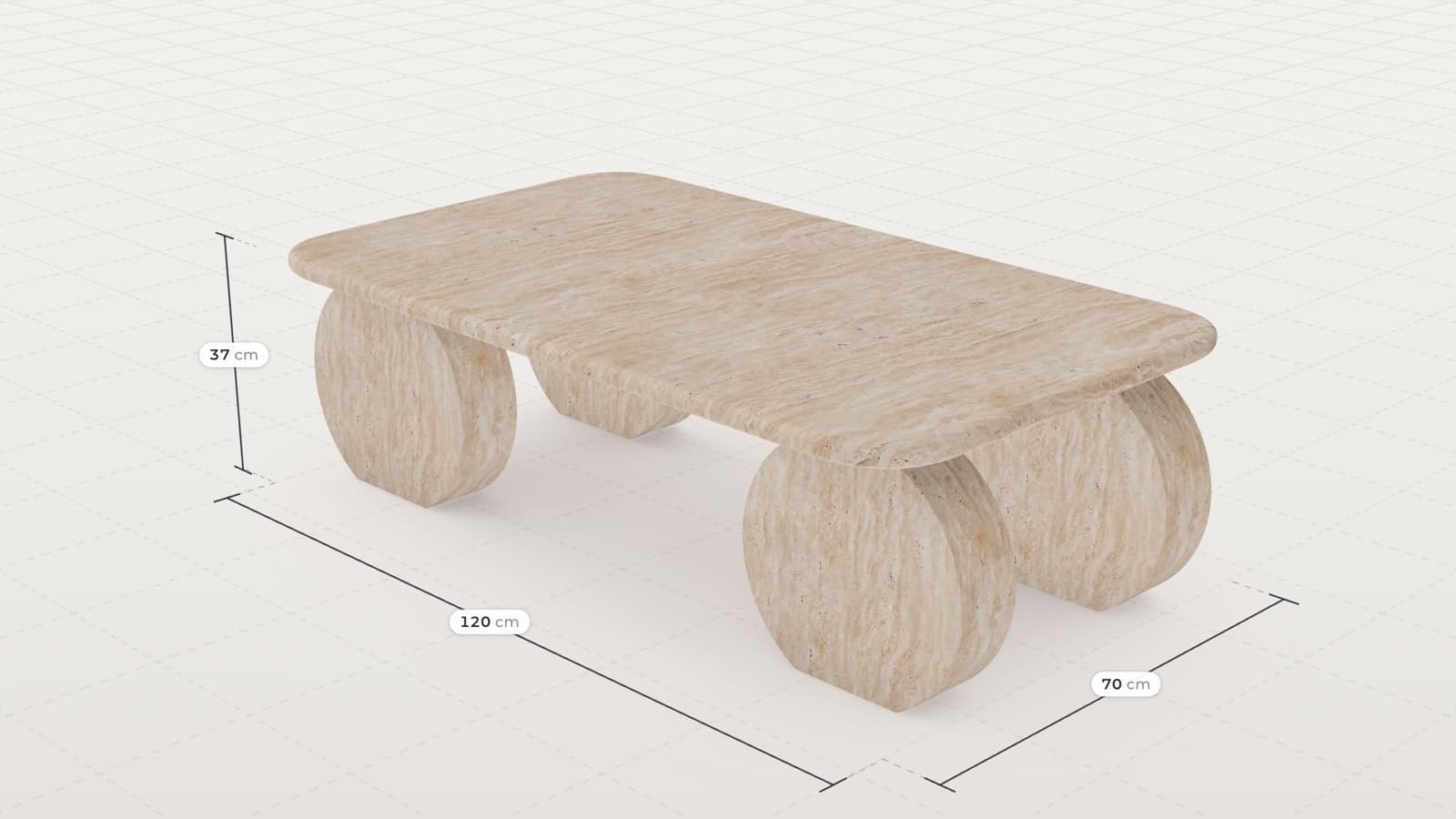
Live 3D viewer. A real 3D model in the page, shown on the customer's device. Customers turn it freely, zoom in on materials, read dimensions and tap hotspots. The same file feeds AR. It suits products with a size question or a "what does the back look like" question: furniture, lighting, appliances and sports equipment.
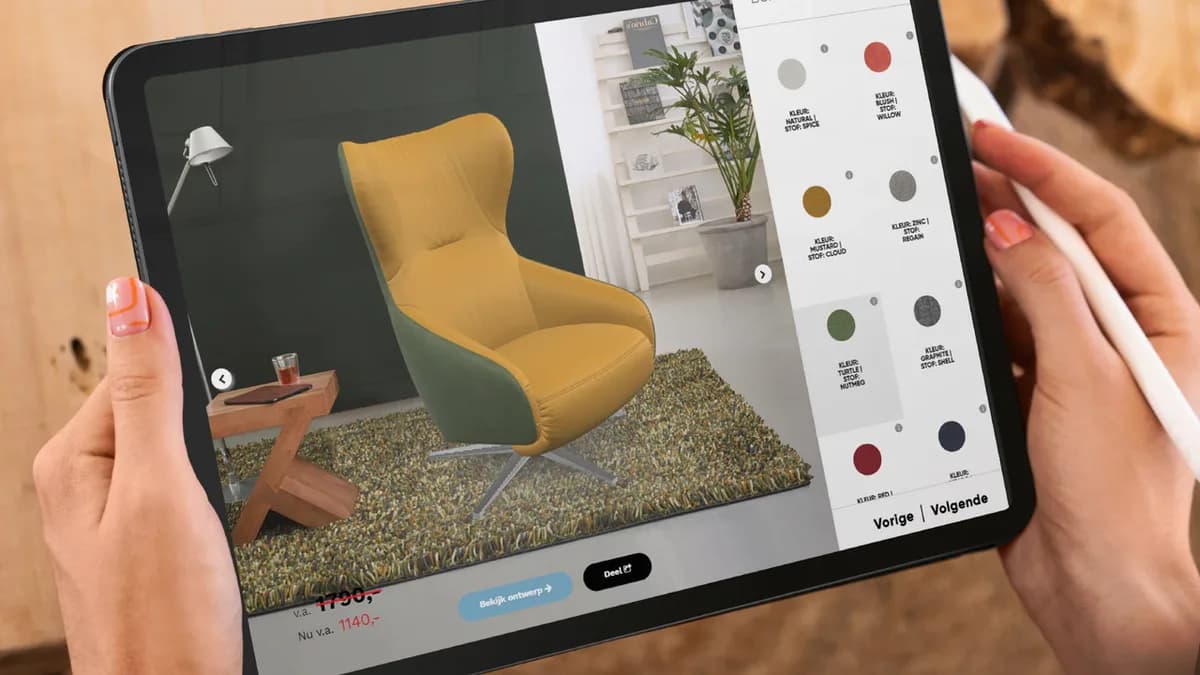
Configurator. A live 3D viewer with your product rules. The customer changes the fabric, the legs or the width, or adds a module, and the model and the price change with each choice. It suits products made to order or sold in many combinations, which covers most upholstered furniture and most kitchens. The glossary entry on the product configurator lists the forms it takes in e-commerce.
Augmented reality. The model placed in the customer's own room through the phone camera, at real size, from the browser with no app. It suits products where fit in the room is the last question before checkout.
Which Format Suits Which Products?
| Product type | Buy on | First format | Add later |
|---|---|---|---|
| Shoes, bags, watches | Looks, detail | 360 spin or live 3D | AR placement, try-on for glasses |
| Sofas, beds, tables | Size, fabric, combination | Configurator | AR placement |
| Lighting, stoves, appliances | Size, finish, fit in room | Live 3D with dimensions | AR placement |
| Kitchens, wardrobes, modular storage | Combination, room fit | Configurator | AR, room planner |
| Outdoor furniture, plants, pots | Scale in a garden | Live 3D | AR placement |
The more a customer needs to know about size and combinations, the further right in the table you go. For products bought on looks alone, a spin often covers it.
Why Add 3D to Your Product Pages?
More Visitors Turn Into Buyers
Shopify reported in September 2020 that interactions with products carrying 3D or AR content converted 94 percent more often than equivalent products without. Rebecca Minkoff saw a 44 percent lift in add-to-cart among shoppers who used the 3D viewer and 65 percent more purchases among those who used AR. Oakywood, a desk-accessory maker, reported average order value up 458 percent in Germany, 232 percent in Switzerland and 84 percent in the UK after moving from Etsy to Shopify and adding Shopify AR.
Customers Add More Options to the Order
A configurator shows each option on the product, so customers see what an upgrade looks like before they pay for it. A customer who sees the walnut legs or the larger chaise on their own sofa can decide on the upgrade before ordering.
Fewer Furniture Returns for Size
Online furniture returns run at around 22.7 percent, against a 19.3 percent average across all categories, and about 58 percent of those returns come from size and space mismatches. A viewer with dimensions and AR placement deals with that cause directly.
One Model Supplies Every Product Image
The model becomes the source for everything else on the product page. Still photos can be rendered from it, the turning video is made from it, and the AR file is an export of it. When a fabric changes, you update the model and skip the photo shoot.
Use Case: A Corner Sofa
A corner sofa needs every format in the table, because the customer chooses size, fabric and modules. With a configurator on the product page, the customer from the start of this article:
- Turns the sofa in 3D and looks at the back and the arms
- Picks the grey bouclé and sees it on the whole sofa
- Moves the chaise to the other side and sees the price change
- Places the finished sofa in her living room with AR and checks the gap to the radiator
- Adds it to the cart with the fabric and layout she chose
Behind the page, we model the sofa once with all its modules, add each fabric as a material, and render photos of popular combinations for your category pages and campaigns from the same model.
Google already lets merchants attach a 3D model to a product listing, so it can appear in Search with a "view in your space" option in some markets and categories. Apple and Android phones open a 3D file straight into AR from a web link. The phones and search engines are ready, and a shop only needs the models.
Client Results With CharpstAR
MELIMELI sells most of its sofas online. With 3D and AR, customers explore the sofas across fabrics and see them at home without a store visit first, and the setup also supports MELIMELI's image production. Contura makes wood-burning stoves, where the question is whether this model in this finish suits the living room. Its configurator with AR lets customers stand the stove in their room at real size, and Contura saw more engagement with stove specifications and downloads.
How to Get Started With 3D
Step 1: Match the Format to the Product
Use the table above to pick the format for each product group. We can go through your range with you if you're unsure.
Step 2: Model One Product
Have one product modelled properly first. The model can later become a spin, a viewer, a configurator or an AR file, because they all use the same file.
Step 3: Plan the Range
We price the range by format, and for a configurator we set up the option rules with your product data.
Step 4: Launch on the Product Page
The 3D content goes on your existing product pages with a snippet, and orders keep running through your current checkout.
Which Numbers to Watch After Launch
| KPI | What to measure |
|---|---|
| Conversion rate | Whether pages with 3D convert more visitors than before |
| Average order value | Whether configurator customers choose more options and upgrades |
| Return rate | Whether size and space returns fall on products with AR |
| Configurator use | How many customers change at least one option |
| Content costs | How many photo shoots the renders replace |
Compare the same products over the same season before and after, so the figures reflect your own range.
How Much Does 3D Cost per Product?
The cost people forget is the upkeep. Products change, fabrics are discontinued and new leg options arrive, and a catalogue of models nobody maintains is out of date within a year. That is why our fee is monthly, per product, with updates included. The Basic plan costs from 10 dollars per product per month and includes 3D models, AR, web integration, hosting, updates and implementation, for at least 100 variants on a 12-month term. The Value plan, from 20 dollars per model per month for at least 100 models on a 24-month term, adds custom dimensions, annotations, rendered product images and colour and texture configurators. Modular or complex configurators are quoted per range. AR adds almost nothing once the model exists, because it is the same file exported for the phone.
Who Should Invest in 3D Product Visualization?
The four formats are most useful to shops that sell:
- Furniture and lighting, where size in the room decides the order
- Upholstered products with many fabrics and finishes
- Kitchens, wardrobes and storage sold in combinations
- Accessories where detail is the main reason to buy
- Ranges that change often enough to make repeat photo shoots expensive
Start With the Format Your Products Need
Pick the format your customers' questions call for, using the table above. If you aren't sure where your range fits, send us one product and we will model it free of charge, so you can decide with the model in front of you. To compare formats on more examples, see the 3D viewer and the configurator demos.
Sources
- Shopify, merchant data on 3D and AR content, September 2020, AR shopping results, and 3D ecommerce guide with the Oakywood figures.
- Eightx, Furniture and home return rate benchmarks 2025.
- Google Merchant Center Help, Display your products in 3D and augmented reality.
- Apple Developer, AR Quick Look.