3D for e-commerce9 min read
Ecommerce Product Configurator: Types, Use Cases and Costs
See which type of product configurator fits your range and what it costs to add one to your online shop.
By CharpstAR · 8 Nov 2026
Imagine buying a pool table online.
You like the table you've found, but you're not sure which cloth goes with the cabinet you want, what the better cloth costs, or whether the table fits your room once you leave space for the cue. You look through the photos, read the measurements and go and find a tape measure.
Many customers stop there and leave without buying.
An ecommerce product configurator puts those choices on your product page. With CharpstAR's 3D configurator, shoppers can set up the product, see the total price and place it in their own room with augmented reality (AR).
Try the pool table configurator we built. The table and its prices are examples we made for this demo.

Choose a cloth and a cabinet, then open Room and enter the size of your room to see which cue fits. On a phone, place the table in your room with AR.
Open the configurator pageWhat Is an Ecommerce Product Configurator?
An ecommerce product configurator is an interactive tool on your product page that lets customers choose the options of a product and see the result before they buy.
Depending on the product and the setup, customers can:
- Change colours, fabrics and finishes
- Add or remove parts and accessories
- Enter their own measurements
- Build a product from modules
- See the total price of their version
- Check the size of the product and the space it needs
- Place the product in their room with AR
The configurator follows your product rules, so customers can only choose versions you can deliver.
Why Use a Product Configurator for Ecommerce?
Products with many options are hard to sell online. A sofa in twenty fabrics and four sizes already comes in 80 versions, and photographing each one is expensive and slow to keep up to date. A configurator lets customers see any of those versions on one page.
What We Measured on Nine Online Shops
Across nine online shops using CharpstAR, shoppers who opened 3D or AR on a product page bought 7.4% of the time. Shoppers who saw the same pages and didn't open it bought 3.1% of the time. The median order from shoppers who opened it was 29% larger. You can read the full figures and how they differ by product type.
Increase Average Order Value
Customers see the accessories and the better materials next to the option they're choosing. On the pool table above, the Elite cloth adds €190, and the customer can see the cloth on the table and the new total before they decide.
Reduce Returns and Wrong Orders
Retailers estimated that 19.3% of online sales were returned in 2025. Large products are expensive to collect and send back. With the measurements on the page and the product shown in their own room, customers can check that it fits before they order.
Simplify the Buying Process
Customers make every choice in one place, without comparing product pages, specification sheets and price lists or waiting for a reply from customer service.
Reduce Photography and Content Costs
One 3D model can show every colour, fabric and finish. New options are added to the same model. The same model also gives you product images, AR and a 360 view.
Four Types of Ecommerce Product Configurator
The right type depends on what changes from one version of your product to the next.
Colour and Material Configurators
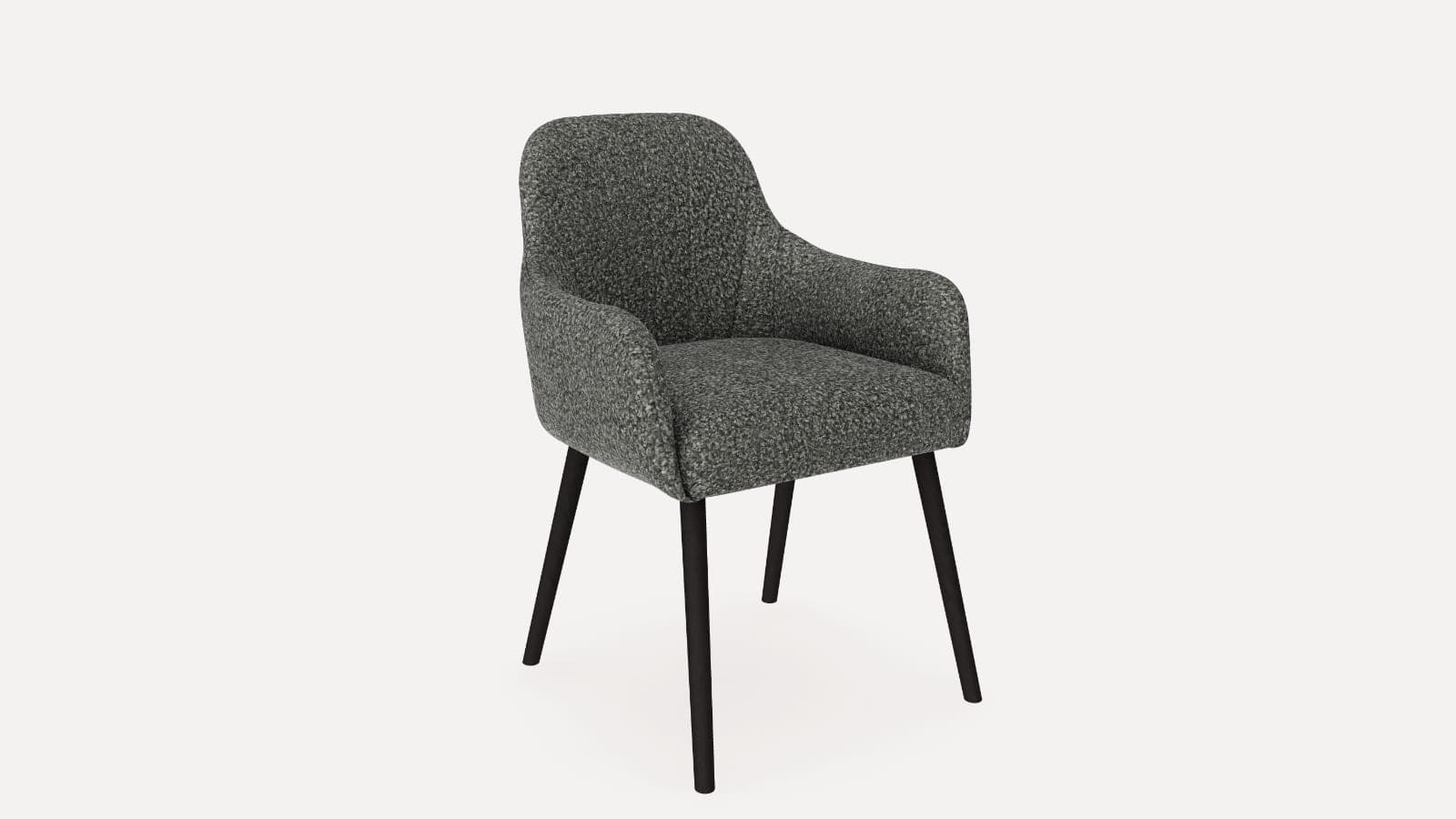
Customers change the colour, fabric or finish on one 3D model. This suits sofas, chairs, beds, tables and other products where the shape stays the same. Try the dining chair with ten fabrics and four frames.
Parts and Finishes Configurators
Customers add or remove parts as well as choosing finishes. This suits stoves, bikes, grills and products sold with accessories. Try the wood stove with a floor plate and a log store.
Made-to-Measure Configurators
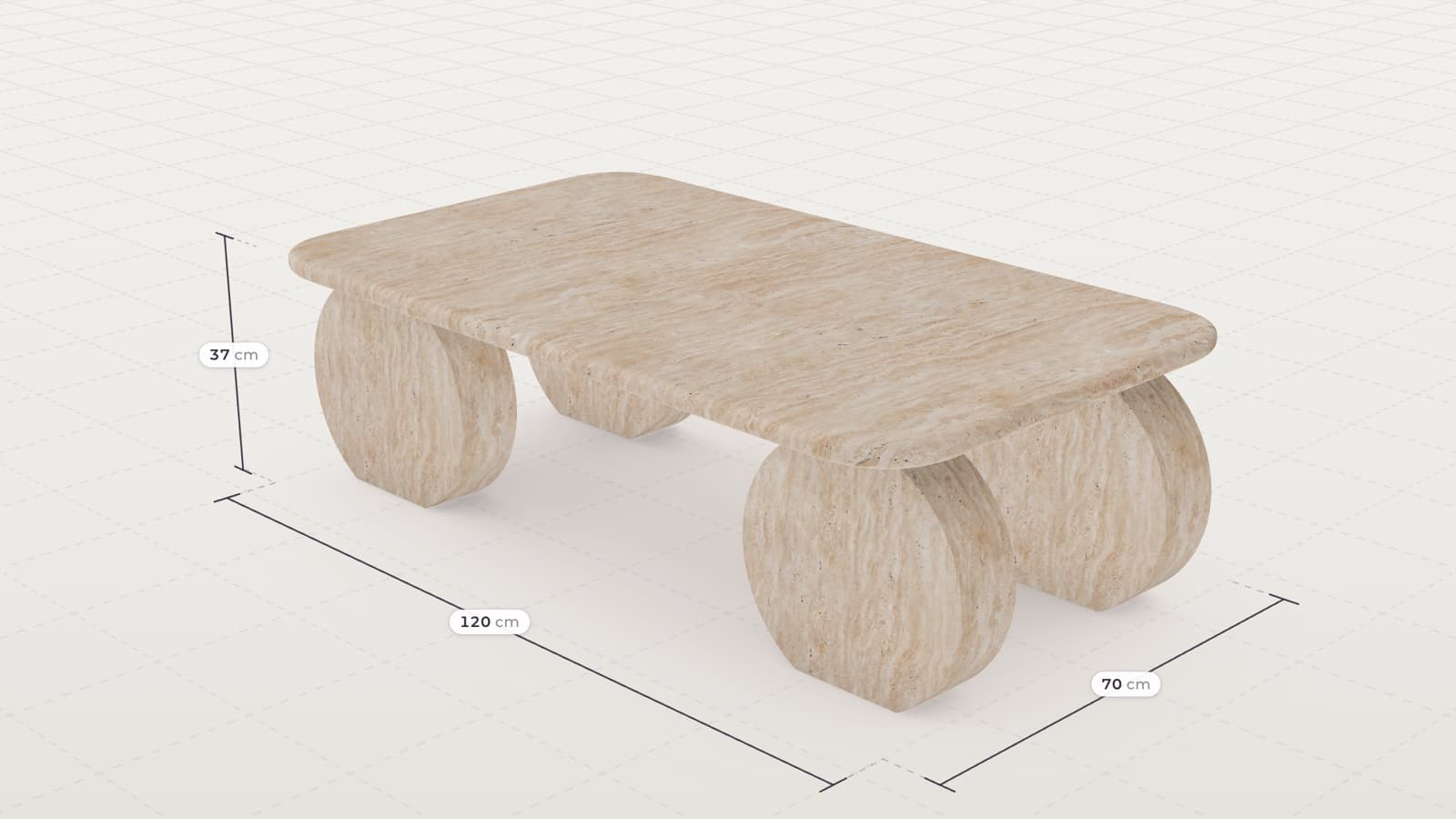
Customers enter the size they need and the product is rebuilt to match. This suits sheds, fences, tables and other products made to order. Try the garden shed, where width, length and height are on sliders.
Modular Configurators
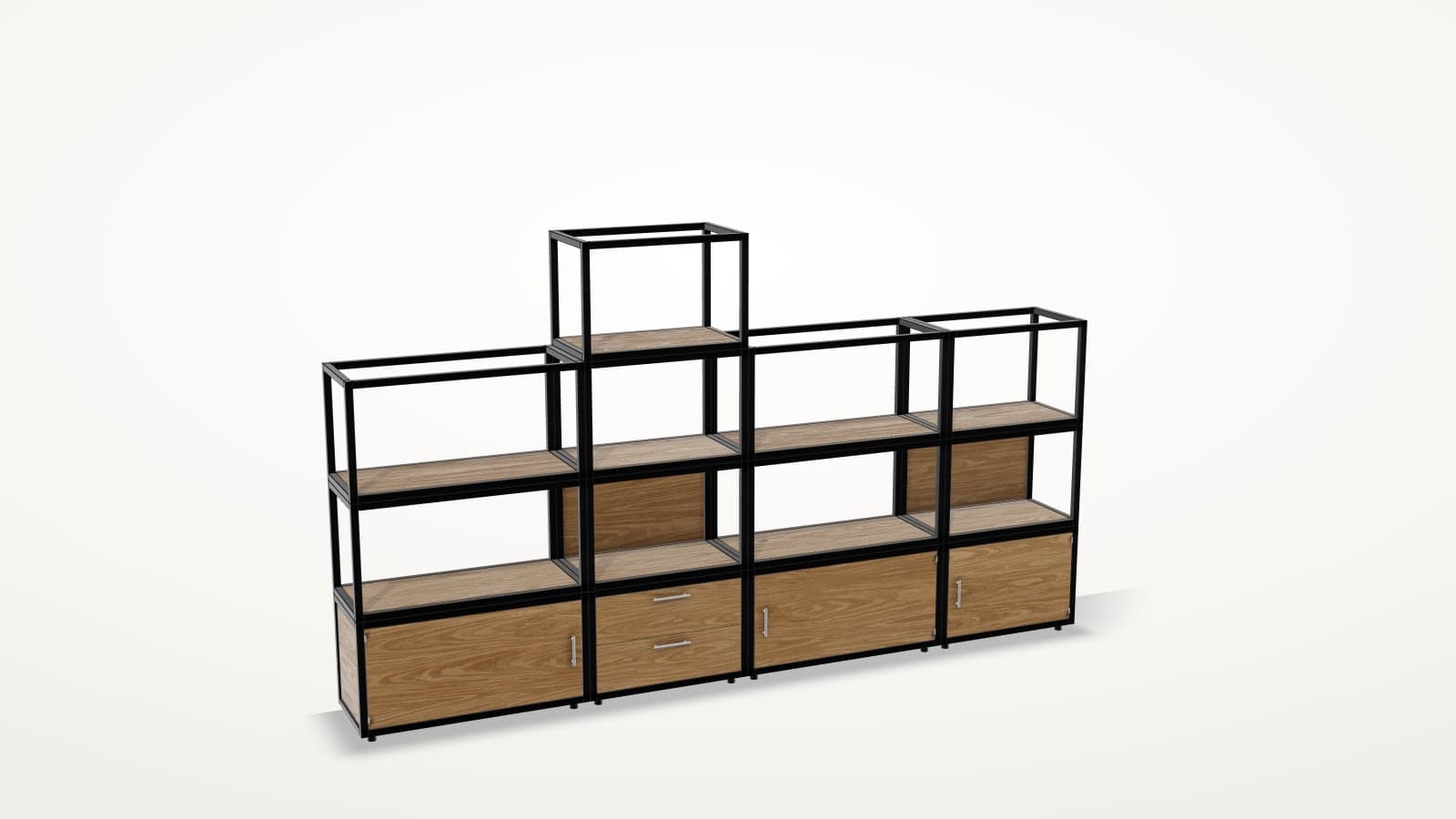
Customers build the product from parts that fit together. This suits shelving, modular sofas, wardrobes and office furniture. Try the modular shelving, or read how a modular product configurator works.
Which Type Fits Your Range?
Enter your own numbers below. You'll see how many versions your range adds up to, how many photos it would take to show them all, which type of configurator fits and how it's priced.
Your range
- Versions in your range
- 3,840
- Photos, at five per version
- 19,200
The type that fits
Parts and finishes
Customers add or remove parts and choose the finishes.
Try the wood stovePrice
Quoted per range, because this type has more rules to set up.
Use Case: Large Furniture That Needs Space
Large furniture is a strong fit for a configurator, because customers have to choose the look and check that the product fits their home.
Take the pool table in our demo. It comes in 32 cloths and seven cabinet finishes, which makes 224 versions. At five photos each, that's 1,120 photos. The customer also needs to know how much room the table takes up, and that depends on the length of the cue.
How the Pool Table Configurator Works
Customers start with the table in its standard finish. Then they:
- Choose a cloth from the Smart or the Elite range
- Choose one of seven cabinet finishes
- Enter the length and width of their room
- See whether the table fits and which cue they can play with all round
- Show the room the table needs, marked on the floor
- Place the table in their room with AR
With a full-size cue, the table needs a room of 4.8 × 4.0 metres. With a junior cue, it needs 3.7 × 3.0 metres. If the room is smaller than that, the configurator tells the customer that the table won't fit. The total price is always on screen.
What Reaches You When Someone Orders
The order arrives in your shop or order system with the option codes, a plain-text description and the price. An order for the pool table would arrive like this:
| Order line | Example |
|---|---|
| Product | Pool table |
| Cloth | Elite range, Petrol |
| Cabinet | Walnut |
| Price | €2,680 (example) |
| Option codes | Your own article number for each option |
Plugin, In-House Build or Managed Service?
There are three common ways to get a configurator onto an online shop:
| Route | What it suits | What it takes from you |
|---|---|---|
| A plugin from your shop's app store | Option lists and simple image swaps | The setup, and a photo for every option |
| Building it in-house | A large range and a team with 3D developers | 3D developers, 3D artists, hosting and upkeep |
| A managed service such as CharpstAR | Ranges that need 3D, AR and product rules without a 3D team of your own | Your product information and your approval of the rules |
How to Add a Product Configurator to Your Website
The configurator goes on your existing product pages, and orders go through your own checkout.
Step 1: Share Your Product Information
Send us a link to the product page and your list of options with their prices. CAD files help but aren't required, and we'll ask for samples or close photos of your materials.
Step 2: Get a Plan and a Price
Within a working day, we tell you which type of configurator your product needs and what it costs.
Step 3: We Build the Model and the Rules
We create the 3D model and set up which options can be combined and what each one costs. Then you test the configurator on your own page. A colour and material configurator is live in about two weeks, and a modular or made-to-measure range takes longer.
Step 4: Go Live
The configurator goes on your product page as one snippet on Shopify, Shopware, Magento, WooCommerce or a custom-built site, and we help you place it.
How to Measure the ROI of a Product Configurator
Measure the configurator against the figures you already track:
| KPI | What to measure |
|---|---|
| Conversion rate | Whether the configured products convert more visitors into customers |
| Average order value | Whether customers choose more add-ons and better materials |
| Add-to-cart rate | Whether using the configurator leads to stronger purchase intent |
| Return rate | Whether fewer orders come back for the wrong size or version |
| Customer support questions | Whether there are fewer questions about sizes, prices and options |
| Photography costs | How many product photo shoots you no longer need |
Results depend on your products, your traffic and your prices, so compare the same products before and after.
How Much Does an Ecommerce Product Configurator Cost?
The price depends on the type of configurator:
| Type | How it is priced |
|---|---|
| Colours, fabrics and finishes | Value plan, from 20 dollars per model per month, at least 100 models over 24 months |
| Modular, made-to-measure or parts | Quoted per range |
| Integrations and large catalogues | Enterprise plan, custom price |
The 3D models, hosting, updates and implementation are included, and there are no setup fees. At the starting price, 100 models on the Value plan come to 2,000 dollars a month. Our article on what a 3D product configurator costs goes through each plan.
Is a Product Configurator Right for Your Business?
A product configurator may be a strong fit if your products:
- Come in many colours, fabrics, sizes or combinations
- Have add-ons or accessories that customers choose between
- Need to fit a specific space
- Have a high order value
- Are hard to show with product photos alone
Common uses include furniture, stoves, bikes, garden buildings, fences, mattresses and shelving systems.
Start With One Product
CharpstAR handles the whole process, from the 3D models to the configurator on your product page. We build the first product with colour and material options for free, and there's no contract until you've tested it.
Want to see how your range could work in 3D? Send us your range and we'll reply within a working day with what it would take, or explore our configurator demos.
Questions
What is the difference between a product configurator and product variants?
Variants are a fixed list of versions on your product page, usually with one photo each. A configurator lets the customer choose each option separately and shows the result in 3D.
Does a product configurator work with Shopify?
Yes. It goes on your product page as one snippet. On Shopify, where a product can only have three options, the customer's version goes into the cart as one line item with the chosen options attached. It also works on Shopware, Magento, WooCommerce and custom-built sites.
Who builds and maintains the 3D models?
CharpstAR builds the 3D models, hosts them and keeps them updated. All of that is included in the monthly price.
How long does it take to add a configurator?
A colour and material configurator is live in about two weeks. Modular and made-to-measure ranges have more rules to set up and take longer.
Can customers see the price of their version?
Yes. Every option can have its own price, and the total is always on screen.