Furniture and home9 min read
Augmented reality for plants and garden products: what it solves and how to do it
Let shoppers stand a plant or a planter in their own room at real size. What AR does for a garden centre selling online, what it cannot do and what it costs.
By CharpstAR · 4 Oct 2023 · Updated 19 Oct 2026
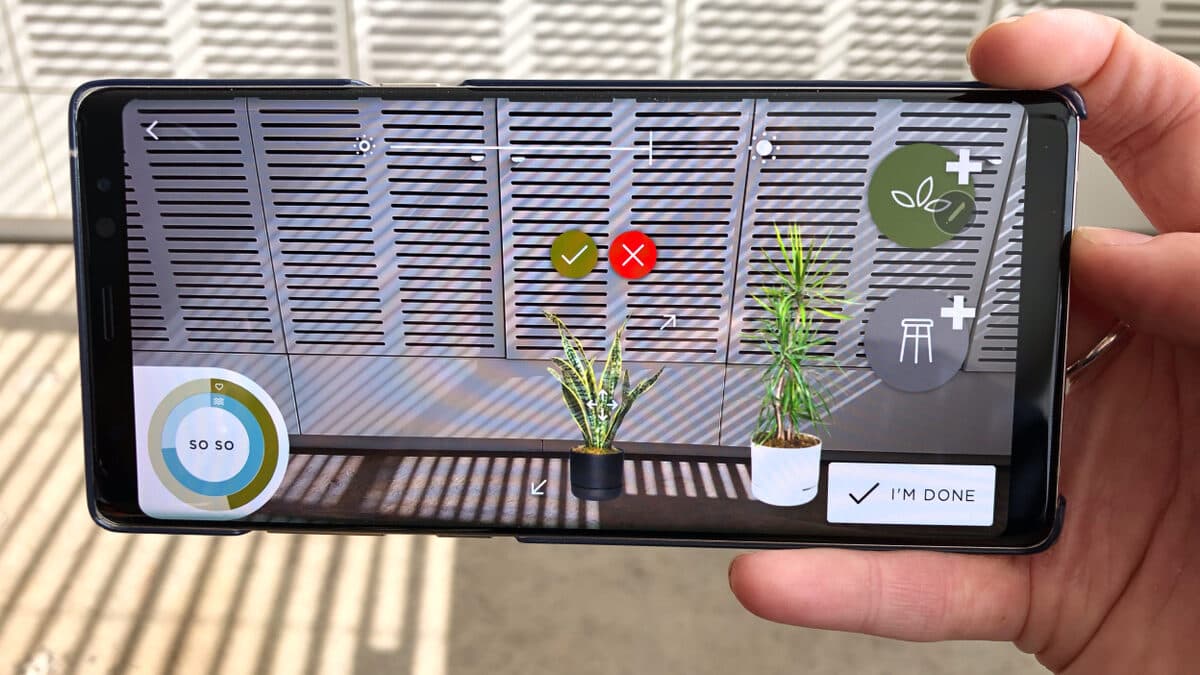
Help your customers see which plant, pot or garden bench fits their corner before they order it.
Imagine shopping online for a large plant for the corner by the window.
The product page says "60 to 80 cm" and shows the plant in its nursery pot on a white background. You want to know whether it will look right next to the sofa, whether it clears the shelf above and whether the pot you have in mind is the right size for it. The page cannot tell you, so you leave the tab open and do not order.
For a garden centre or plant shop selling online, that is the sale that is lost most often, and it is the same sale for planters, garden furniture and outdoor lighting, at a higher price.
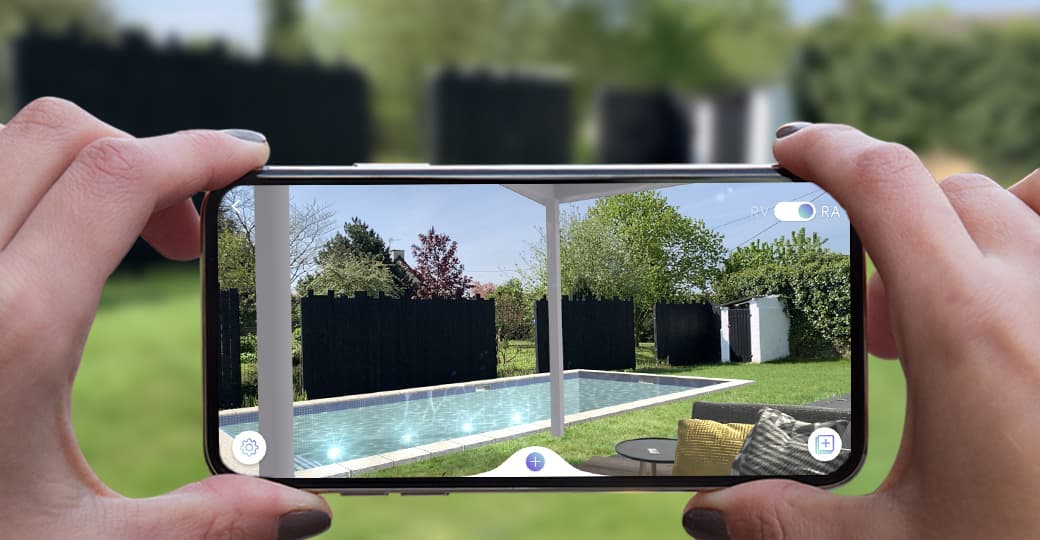
Augmented reality (AR) gives that shopper the answer on the page. Instead of describing the size, you let them stand the plant in the corner through the phone camera and see it there at its true height. With CharpstAR the button that opens AR is added to the product page you already have, and it works from a normal web link with nothing for the customer to install. The fir below shows the one height question every plant shopper has.
Plants
Nordmann fir
Sold at 175 to 200 cm, in a pot.

A Nordmann fir in its pot, 175 cm to the tip: the height that has to fit under the ceiling.
What Is Augmented Reality for Plants?
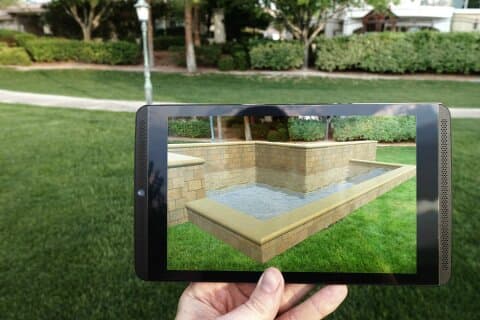
Augmented reality for plants and garden products puts a 3D model of the product into the camera view of the shopper's own room, balcony or garden, at real size, straight from your product page.
With AR on the page, your customers can:
- Stand a plant in the corner where it would live and see it against their own wall and furniture
- Compare the 60 cm and the 160 cm size of the same plant in the same spot
- Place a pot or planter and check its diameter and height in the room
- Put a dining set or a bench on the terrace and see whether it fits
- Group a plant, its pot and a bench together before ordering any of them
- See the pot finish or the weave of the furniture up close by turning the model
Why Use Augmented Reality for Plants and Garden Products in E-commerce?
A plant is bought on size, light and how it looks in a particular place, and a product photo answers none of those. The large retailers have already shown that placing the product in the shopper's own space works. Lowe's placed size-accurate items from its outdoor range into the shopper's garden through its app, IKEA Place launched in 2017 with 2,000 pieces of furniture that could be stood in a room at true scale, and Pinterest's Try On for Home Decor followed in 2022 across more than 80,000 products from Crate & Barrel, West Elm, Wayfair and others.
Increase Conversion by Answering the Room Question
Customers buy when they can see the plant in the place it will stand. When Pinterest launched try-on for home decor it reported that Pinners were five times more likely to buy from try-on Pins than from standard Pins, a figure for its try-on Pins in general. For a plant, the AR view answers whether it suits the room, which is the question that stops people buying plants online.
Reduce Returns and Wrong Orders
The furniture numbers show what a size mismatch costs. In eightx's furniture return benchmarks, about 58 percent of furniture returns are put down to size and space mismatches, and it puts online furniture returns at around 22.7 percent; both are the vendor's own figures. A garden dining set that does not fit the terrace, or a planter of the wrong diameter, is the same problem in your category. When the customer has placed the product at real size before ordering, fewer of those orders come back.
Increase Order Value With the Pot and the Bench
A plant is rarely bought alone. When the shopper can place the plant, swap the pot underneath it and add a bench beside it in the same view, the matching pot and the second plant are easier to sell than they are from separate product pages.
Cut the Questions About Size and Fit
A plant shop answers the same questions by email every week, about how tall the plant arrives and whether it fits the pot or the corner the customer has in mind. With the model placed in the room and its measurements on screen, customers answer most of those questions themselves.
What AR Cannot Do for Plants
Plants are living things, so set the AR view up for what it does well. A model shows one plant at one moment; the real one arrives at a slightly different height and then grows. A model cannot promise the shade of green, and it cannot tell the buyer whether the corner gets enough light for the plant to survive.
Use AR for size, position and the pairing of plant, pot and furniture, and keep the care information, the light requirements and a real photo of a typical specimen on the same page.
Use Case: A Large Plant on the Product Page
A garden centre lists a monstera in three sizes, each with a choice of pots, and on the product page the sizes read as centimetres.
How the Customer Uses It
- On their phone, the customer taps the AR button on your product page
- The plant appears in the camera view at real size, in the pot currently selected
- They move it into the corner, step back and compare it with the room, then switch to the next size up
- They settle on the size and the pot colour and order without leaving the page
The large retailers built apps for this, and an app is no longer needed. A 3D model opens in AR from a normal web link on iPhone and Android, so the AR button sits on your product page and the shopper taps it.
What to Model First
For a plant range, the model follows the plant type. One good model of a monstera at three sizes covers the product, and the pot is a separate model swapped underneath it. Pots, planters, benches and lighting are rigid and repeat, so one model serves every colour. What is modelled and what is paid for are counted differently. On the Basic plan each size you sell is a variant with its own monthly price, and on the Value plan the plant and its pots can be one model with its options. We say which fits your range when we reply.
| Product | Model | AR question it answers |
|---|---|---|
| Large indoor plants | One per species, three sizes | Which size fits the corner |
| Pots and planters | One per shape, textures per colour | Does it match the room, is it the right diameter |
| Garden furniture | One per product, fabric variants | Will the set fit the terrace |
| Outdoor lighting | One per product | Height and spread in the garden |
| Raised beds, sheds, pergolas | One per size | Will it fit the plot |
How to Add Augmented Reality to Your Plant Shop Website
Your shop stays as it is. We build and host the models and add the viewer and the AR button to your existing product pages.
Step 1: Send Us One Product Type
Start with a link to the product page and a few photos. For a plant, a photo of a typical specimen beside something of known height lets us get the size right.
Step 2: Receive a Plan and a Price
Within one working day we reply by email with what we need from you and what your range would cost.
Step 3: We Model the Plants and the Pots
A 3D artist builds each product to its real measurements and checks it against a photo of the real one. Before anything goes live, you test each model on your own product page and in AR.
Step 4: Switch the AR Button On
One snippet switches on the viewer and the AR button for a product page, on any shop platform. Put the AR button next to the price in the phone view, where the plant shopper is deciding.
How to Measure the ROI of AR for Plants and Garden Products
Compare the products with AR against the figures your shop already reports:
| KPI | What to measure |
|---|---|
| Conversion rate | How many more visitors to the AR pages go on to buy |
| Return rate | Whether fewer plants, pots and sets come back for the wrong size |
| Average order value | Whether more customers order the pot or the second plant with the first |
| Customer support questions | How many emails about height, diameter and fit you stop receiving |
| AR engagement | How many shoppers open the AR view and how many of them go on to buy |
Every shop's figures differ, so compare the same products against the same month last year.
How Much Does Augmented Reality for Plants Cost?
For a plant shop the figure that matters is the price per SKU. Every size of a plant you sell is a variant, and on the Basic plan each variant costs 10 dollars a month, with at least 100 variants on a 12-month contract. The model, the AR view and the hosting are inside that figure, and there is no setup fee. Swapping the pot under the plant as an option on the page is the colour and texture configurator, which comes with the Value plan at 20 dollars per model a month for a minimum of 100 models across 24 months.
A plant range changes with the seasons, and either plan lets you replace up to 30 percent of what you have modelled each year.
Is Augmented Reality Right for Your Plant or Garden Business?
AR is likely to pay off in your shop if your products:
- Are bought for a particular corner, wall, terrace or plot
- Come in several sizes that look the same in a photo
- Are matched with pots, planters or furniture that you also sell
- Are large or fragile and expensive to send back
Common uses include large indoor plants, pots and planters, garden furniture, outdoor lighting, raised beds, sheds and pergolas.
Put Your Plants in Your Customers' Rooms
Augmented reality lets a garden centre or plant shop answer the question a product photo leaves open, whether this plant in this pot fits that corner. Pick the product with the biggest size question and the biggest price, usually a large indoor plant, the garden dining set or the big planters, and start there.
Send us a plant, a pot or a bench and the first one is free, modelled in 3D with AR and live on your product page inside ten working days. You keep it even if you go no further.
Sources
- Lowe's Corporate, Virtually view Lowe's spring collection in your backyard.
- TechCrunch, IKEA Place, the retailer's first ARKit app, September 2017.
- Pinterest Newsroom, Pinterest introduces AR Try On for Home Decor, January 2022.
- Eightx, Furniture and home return rate benchmarks 2025.
- Apple Developer, AR Quick Look.