3D for e-commerce6 min read
AR Product Page Best Practices for Online Shops
Where the AR button goes, what it should say, how big the model can be and what desktop visitors see. What a good AR product page needs and how we set it up.
By CharpstAR · 4 Oct 2023 · Updated 14 Oct 2026
Part of Augmented reality for furniture retail: the complete guide
A shopper on her phone opens the product page for a sofa from one of your ads. She swipes through the photos at the top. The 3D view and the AR button are further down, inside a tab called "3D and AR" under the delivery information, and she never opens it. The 3D model your shop paid for goes unseen.
When AR doesn't help sales, the usual cause is where and how it appears on the page. Below are the decisions that make it work for your shop, and what we handle for you when we put the viewer on your site.
What Is AR on a Product Page?
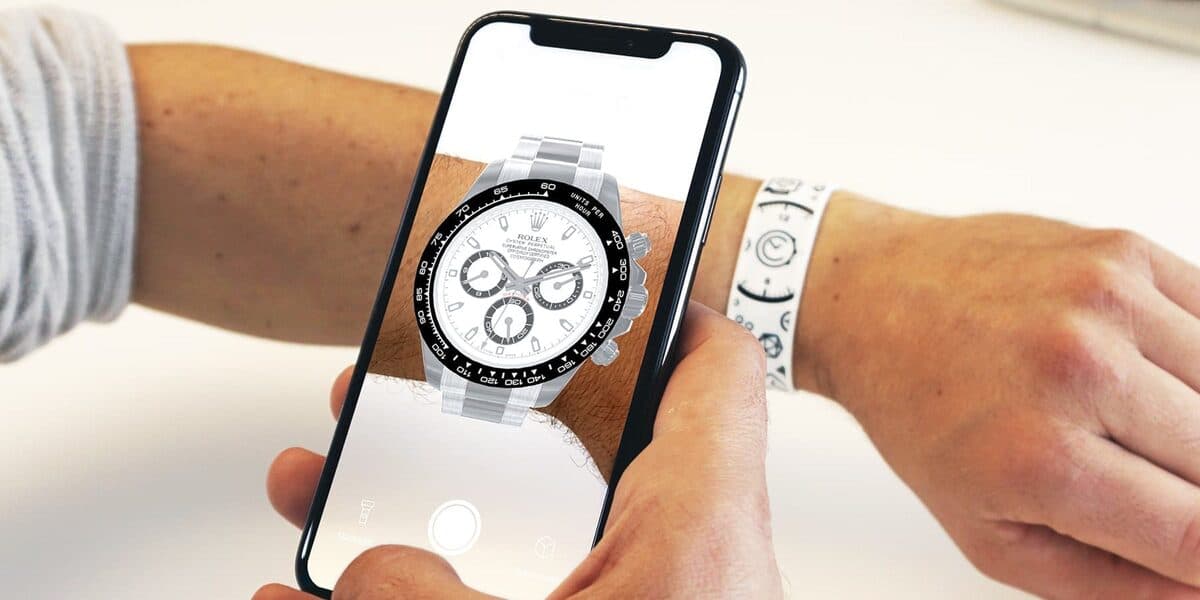
AR (augmented reality) on a product page is a button that opens the product in the shopper's own room. The phone camera shows the room, and the 3D model of the product stands on the floor at its real size. The feature behind the button is view in room, and it sits inside a 3D product viewer that also lets shoppers turn and zoom the product on the page.
AR opens in the phone's own viewer on most iPhones and Android phones, with nothing to install. Visitors on a computer get the 3D viewer, and the AR button shows them a code to scan with their phone.
Why the Product Page Setup Matters for Sales
More Shoppers See the Product You Paid to Model
Shoppers scan the photo gallery and don't go looking for a feature they didn't know about. When the 3D viewer sits in the same carousel as the photos, first or second, every visitor who swipes through the gallery reaches it. In an accordion below the delivery information, few ever do.
Shoppers Check the Product on Any Device
Placing a product in the room needs a phone, camera permission and a clear floor. Turning the model works for everyone, on a phone or a computer. A good starting angle and measurements on the model let the visitor who never opens AR still check the product closely.
A Clear Button Label Gets More Taps
Shoppers understand a result faster than a technology name. "View in AR" is the common label and works, but a label that says what will happen, such as "See it in your room" or "View in your space", needs no explaining. A small AR icon next to it helps the people who know the term.
| Weak label | Better label | Why it's better |
|---|---|---|
| "AR" | "See it in your room" | Says what the shopper will see |
| "Launch 3D experience" | "Spin the 3D model" | Names the thing the shopper does |
| "Interactive view" | "View in your space" | Leaves no doubt about what happens |
The Page Stays Fast on Mobile Data
Many of your shoppers browse on a phone, often on mobile data. Google recommends AR models under 10 MB, and we size ours for mobile data, so the model loads before the shopper scrolls on. A heavy file from another supplier can slow the whole product page.
Fewer Questions About Size
Half the value of a 3D model is answering how big the product is, and most people who need that answer never open AR. Measurements on the model, in the shopper's units, answer it on every device. A shopper who already knows the sofa is 212 cm wide then opens AR to check one particular gap, and doesn't need to email you about it.
Use Case: A Sofa Page Set Up Well
With these points in place, the sofa page from the opening works like this:
- The shopper swipes through the gallery, and the second slide is the sofa in 3D
- She turns it, zooms in on the fabric and reads the width on the model
- She taps "See it in your room", and the sofa stands on her floor in the browser
- She checks the gap next to the bookcase and goes back to the page
- She adds the sofa to her cart
Behind those steps, we set the starting image, the motion and the loading so the page stays fast and steady, and the viewer works with a keyboard and the phone's reduced-motion setting. You don't need a developer to tune any of it.
Brands Using CharpstAR AR on Their Product Pages
Sweef runs a modular sofa configurator with WebAR, so shoppers place the sofa they have built in their own room. Contura uses Build Your Stove, a configurator with AR built from Contura's CAD files, online and with retailers in store, and saw more engagement with stove specifications and downloads. MELIMELI shows its sofas in 3D and AR, and the same models support its image production.
How to Add AR to Your Product Pages
Step 1: Send Us One Product
Send a link to a product page. We build the 3D model and the AR files for iPhone and Android as a free sample.
Step 2: Get a Reply Within a Working Day
We tell you what we can build from your photos, drawings or CAD files, and what it would cost.
Step 3: We Build to the Real Measurements
We build each model to its real size and small enough for mobile data. You check the models on your own page before launch.
Step 4: Place the Viewer in the Gallery
The viewer goes into your product template with one snippet and loads the models from our CDN. We agree the gallery position, the button label and the dimension lines with you before launch.
What to Track Once AR Is Live
Follow the steps from page visit to order:
| KPI | What to measure |
|---|---|
| Viewer reach | How many product page sessions reach the viewer |
| Rotation rate | How many of those sessions turn the model |
| AR open rate | How many open the product in their room |
| Interaction conversion | Conversion of sessions that used the model against sessions that didn't |
| Return rate | Whether fewer orders come back for size or colour |
Don't judge the project against published industry figures. Shopify reported in 2020 that interactions with products carrying 3D or AR content converted 94 percent more often than the same kind of products without, and at Rebecca Minkoff, shoppers who viewed a product in AR were 65 percent more likely to buy it. The shoppers in those figures chose to use 3D, so your own baseline is the fairer measure.
How Much Does AR on a Product Page Cost?
You pay per product, and AR is part of it. The Basic plan starts at 10 dollars per product per month for at least 100 variants over 12 months, with the model, AR, the viewer, hosting, updates and implementation included. The Value plan starts at 20 dollars per model per month for at least 100 models over 24 months, and adds custom dimensions, annotations, rendered product images and colour and texture configurators. Larger catalogues get an Enterprise quote. Our solutions page shows what each product type includes.
No setup fees apply, and the first model is free.
Who Gets the Most From AR on the Product Page
AR earns the most for shops that sell:
- Furniture, lighting and rugs bought for one spot in the home
- Stoves, appliances and other products where clearance matters
- Large items where a return means a second delivery
- Products with dimensions customers measure for before ordering
Test AR on One of Your Own Product Pages
The quickest test is your own product on your own page with your own traffic. We build the 3D model and AR files of one product for free, and the model stays yours. Send us one product to start.
Questions
Do customers need to download an app?
No. AR Quick Look on iPhone and Scene Viewer on Android are part of the phone, and the product opens from the browser.
Does AR cost extra?
No. AR comes with each 3D model on every plan.
Sources
- Google, Scene Viewer documentation.
- Apple, AR Quick Look.
- Shopify, 3D e-commerce.
- Shopify, merchant data on 3D and AR content, September 2020.
- Shopify, AR shopping.