Fashion4 min read
3D fashion product page examples and what each element does
Spin, zoom, fabric detail, the item on real body sizes, AR and measurements on a fashion product page, with the order to build them in and what to skip.
By CharpstAR · 21 Mar 2023 · Updated 9 Oct 2026
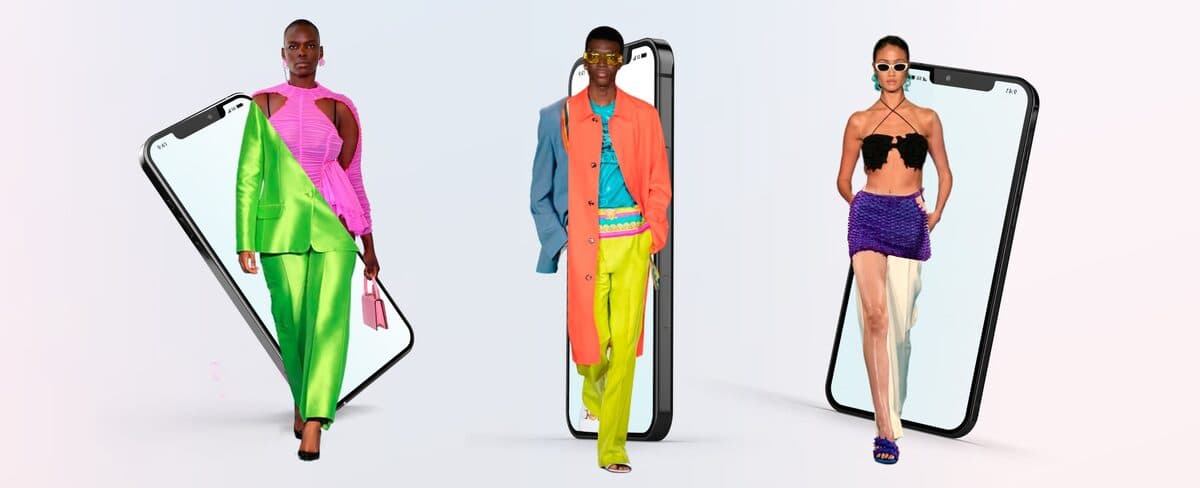
A 3D fashion product page is made of a handful of separate elements, and they cost very different amounts to build. These are the ones we put on a page, in the order we'd build them, with what each one is for.
1. Measurements for the garment
Measurements don't need 3D, and they're the most useful information on the page. Give chest, waist, length and sleeve in the shopper's units. Measure the garment itself, because a generic size band tells the shopper less. Add a fit note taken from your own returns data, such as "runs small, take one size up".
2. A rotatable model in the gallery
A 3D model sits in the image gallery, and the shopper drags to rotate it and pinches to zoom, in the browser.
The model shows the angles your photographer didn't shoot, such as the back of a jacket, the underside of a sole or the way a strap attaches. For rigid products like bags, shoes, eyewear and watches it's the most useful thing you can add. Rebecca Minkoff, a handbag brand, put a 3D model of each purse on its product pages; Shopify reports that shoppers were 44 percent more likely to add an item to the cart after interacting with it in 3D.
Technically it's a GLB file loaded by a viewer in your product template. Keep the file small, because a model that loads slowly on a phone does the page more harm than good.
3. Fabric and material detail at close range
Materials take the longest to build in a 3D asset, and they're what shoppers look at most closely. Zoom in on a weave and it should still read as cloth, and leather should catch the light the way leather does.
We build a material library for each client for this reason. Once a brand's linen, oak or brushed steel exists as a material, every later product that uses it is quicker to build and matches the rest of the catalogue.
4. Hotspots that explain construction
Hotspots are small markers on the model that open a line of text about the lining, the stitch, the hardware or the position of a pocket. A photograph can't give this information at the moment the shopper is looking at that part of the product.
Once the model exists, adding them is a small job.
Clothing
Wool blazer
Regular fit.

A wool blazer with five hotspots: the cloth, the shoulder, the lining, the pockets and the front.
5. An AR button
One button hands the same model to the phone's own AR viewer. The shopper doesn't install anything or scan a QR code.
In fashion the button matters most for the rigid categories again, glasses on a face or a shoe on the floor, for instance. For a garment on a moving body, AR gives a styling preview and doesn't replace a fitting room.
6. The item shown on more than one body size
This element needs no 3D at all if you have the budget to photograph two models. If you do have 3D garments, you can render the same item on bodies of stated sizes, so a shopper can compare against a body like their own.
In our view this does more for the fit problem than avatar try-on, because a stated size on a body of stated measurements gives the shopper a concrete comparison, and an avatar is only an approximation of them.
7. A configurator for products with variants
If a product comes in many combinations of colour, fabric, length and hardware, a configurator produces all of them from one 3D asset. Without it you need a photo shoot per variant, which takes up most of a catalogue photography budget.
What to skip
| Element | Why to skip it |
|---|---|
| A full-screen 3D takeover replacing your images | Shoppers want photographs too. Put the model in the gallery alongside them. |
| Autoplaying spin animation | It interferes with the shopper's own scrolling and uses battery. Let the shopper start it. |
| A QR code to "view in AR" | The shopper is already holding the phone, so the AR button can open AR directly. Keep the QR code for desktop only. |
| An app download | Web AR works on both platforms, so an install isn't needed. |
| Avatar try-on as your first 3D investment | It costs the most, and its effect on returns is the hardest to show. Build it last, as a test. |
Sources
- Shopify, AR shopping: the Rebecca Minkoff result.