Fashion5 min read
Augmented reality for accessories, jewellery and watches
How well a phone tracks ears, wrists and shoulders for accessory try-on, why scale and metal are the hard parts, and when a 3D viewer is the better choice.
By CharpstAR · 25 Sept 2023 · Updated 30 Sept 2026
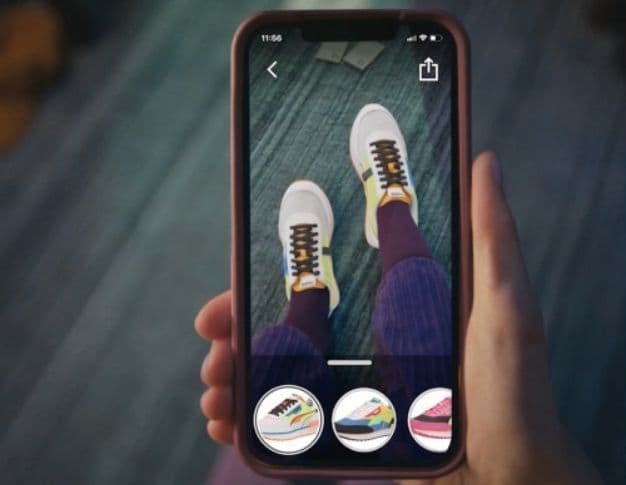
Accessories are a mixed case for augmented reality. They're rigid, like eyewear, which makes them easier to show. Unlike eyewear, they sit on parts of the body that phones track much less reliably, and most are made of metal and stone, the hardest materials to render convincingly.
We build eyewear try-on and 3D viewers, so this is close to our own work.
Body try-on and the 3D viewer are different products
Two different things go by the name AR for accessories.
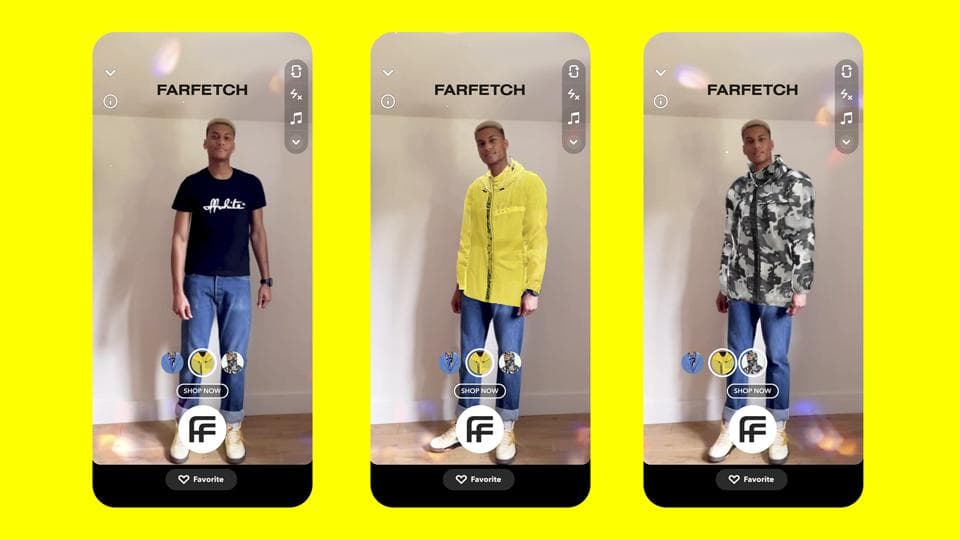
Body try-on puts the product on the shopper through the camera. A watch appears on a wrist, a ring on a finger, earrings on ears, a bag on a shoulder. It shows the shopper how the product looks on them.
A 3D viewer with AR placement puts the product in the page to rotate and inspect, and on a phone lets the shopper stand it on a table at real size. It shows what the product is like up close and how big it is. What that component is and does is in the glossary under 3D product viewer.
The viewer is cheaper, works on every device, and for several accessory types is the more useful of the two.
How well a phone tracks each part of the body
A phone tracks the face and ears best. The landmark models are dense and run at full frame rate on mid-range hardware, so earrings, sunglasses and optical frames all work, which is why eyewear is the strongest AR case in retail. Fittingbox's 2025 report, cited in Shopify's AR shopping write-up, found 54 percent of customers not ready to buy glasses online wanted to check that the frames fit properly, and 29 percent of glasses shoppers have used virtual try-on at least once.
Hands and wrists track well in decent light with a clear view, which makes watches and rings workable, and the hand models are still improving. They struggle with fast movement, overlapping fingers and low light. Occlusion is a problem too. A band has to disappear correctly behind the wrist, and a ring behind the next finger, or the shopper sees straight away that the product is an overlay.
Shoulders and the torso track badly from a front camera at arm's length. Full body pose is imprecise at that distance, the bag has to hang and swing plausibly, and its strap changes shape. Most bag try-on today gives a rough idea of the style and no accurate sense of size.
Necks fall between wrists and bags. Placement works, but a real chain drapes and a rendered one is rigid, so it doesn't sit on the skin the way the real thing does.
Why scale matters most for accessories
For accessories, size usually decides the purchase, and photographs don't show it reliably.
A 42 millimetre case and a 36 millimetre case look the same on a white background and very different on a wrist. The same goes for a pendant, a hoop earring and a crossbody bag, and the question sections of accessory product pages are full of people asking how big the product is.
We recommend answering the size question in both places, the try-on and the viewer.
In the try-on, render at true scale. If the software knows the physical dimensions of the product and can estimate the size of the body part it sits on, a 44 millimetre watch then looks as large on a small wrist as it does in real life, instead of being scaled to fit.
In the viewer, put the dimensions on the model. Show case diameter, thickness, lug-to-lug, chain length, bag height and depth on the object itself, so the shopper doesn't have to find them in a table further down the page. On a phone, let the shopper place the object on their own desk at real size.
| Product | Body try-on today | 3D viewer with AR placement |
|---|---|---|
| Earrings | Works well | Useful for detail |
| Watches | Works, with good light and true scale | Strongly recommended for size |
| Rings | Works, occlusion is the weak point | Useful for profile and stone detail |
| Necklaces | Partial, drape is the problem | Good for chain and pendant detail |
| Bags | Impression only | The better option today |
| Belts, small leather goods | Rarely worth it | The right choice |
Rendering metal, gemstones and leather
Materials are the other hard part, and the one most often done badly.
Polished metal is almost entirely reflection. A steel case shows the room around it, compressed and distorted. A flat grey material with a single highlight doesn't read as steel. To get it right you need physically based materials with correct roughness and anisotropy, lit by an environment map that gives the surface something to reflect. The reflection also has to move as the shopper rotates the object, because that movement is what makes the eye see metal.
Gemstones are harder still. A faceted stone refracts light internally and throws coloured flashes as it turns. A real-time viewer can only approximate it, and a poor approximation loses the flashes, leaving a faceted piece of tinted glass. On a phone the file has to stay under a few megabytes, so some of the refraction is left out.
Leather is the easiest of the three. Grain, edge paint and stitching are texture work, and a well-made leather model holds up next to a studio photograph.
In our projects the material takes longer than the shape. A watch case is modelled in an afternoon, and the metal material takes most of the remaining time.
What we recommend doing first
Start with a 3D viewer across a full category before you consider body try-on for a handful of hero products. The viewer works on every device and shows the dimensions. On a phone it also gives you AR placement through the phone's own viewer, and the in-page view needs no camera permission.
Put the viewer in the main image gallery, above the buy button. Cover a whole category so shoppers learn the feature exists. Then add body try-on where the tracking is strong, which means ears first and wrists second. Bag try-on isn't reliable enough yet to expect a conversion effect from it.
The one published figure near this category comes from Rebecca Minkoff, which sells bags, where AR-enabled pages had a 65 percent purchase lift. Nothing public exists for watches or jewellery.
What we build for accessory brands
We build the models, the materials, the viewer and the hosting, and eyewear try-on where it applies. Strap colours and leather finishes are textures on one model, the way we handle fabrics for MELIMELI.
If you want to see how your steel renders, send us one watch; the first model is free.