3D for e-commerce7 min read
3D Model for Ecommerce: Benefits, Checks and Costs
Let shoppers turn, zoom and place your products in their room from the product page. What a 3D model replaces, what it costs and how to judge one.
By CharpstAR · 25 Sept 2023 · Updated 14 Oct 2026
Part of 3D models for e-commerce: the complete guide
A customer is looking at an armchair on your site. There are six photos, all from the front or the front corner, and a size table. The chair will stand in the middle of her living room, so she wants to see the back, and she isn't sure it fits next to the window. In a store she would walk round it. On your product page she has to guess, email customer service or leave.
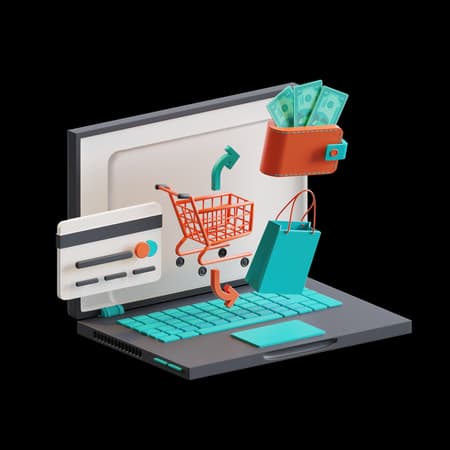
A 3D model lets her check all of that on the page. With CharpstAR's 3D viewer, shoppers turn the product, zoom in on the fabric and the legs, read the measurements and, on a phone, stand the product in their own room with augmented reality (AR).
What Is a 3D Model for E-commerce?
A 3D model is a file that holds the shape of a product and the materials on its surface. It's usually a GLB file, with a USDZ copy for iPhones. A viewer on the product page draws it on the shopper's own device.
With a 3D model on the product page, customers can:
- Drag to turn the product and see the back and the underside
- Zoom in on the fabric, the wood grain or the metal
- Tap small markers on the model, called hotspots, that answer questions about a part
- Read the width, depth and height on the model itself
- Tap a button on their phone and see the product standing in their room
The same file serves the viewer, the AR button and any still images you render from it later.
Why Use 3D Models on Your Product Pages?
Higher Conversion on the Products Customers Inspect
Shopify reported in September 2020 that interactions with products carrying 3D or AR content converted 94 percent more often than the same kind of products without it. In Shopify's case study, Rebecca Minkoff found that shoppers who viewed a product in 3D were 44 percent more likely to add it to the cart, and shoppers who viewed it in AR were 65 percent more likely to buy.
Read those figures with some care. They compare shoppers who chose to use the model with shoppers who didn't, so part of the gap comes from intent. Your own test tells you how much of the gap is the model.
Fewer Returns for Size and Space
The National Retail Federation put United States retail returns at 743 billion dollars in 2023, 14.5 percent of sales, with online purchases returned at 17.6 percent. In furniture, most returns come down to size and space. A model with its measurements shown, placed in the customer's room, removes most of the guesswork behind those orders.
Fewer Photo Shoots per Variant
A model doesn't replace your hero photo. It replaces the extra shots: the back view, the underside, close-ups of joints and fabric, every colour and the room mock-ups. A new colourway becomes a texture change on the existing model, with no studio day to book.
Fewer Emails About Details
Customers write in to ask whether the arm is padded or the seat cushion comes off. A hotspot on the model answers that next to the part in question.
Use Case: An Armchair Sold in Several Fabrics
An armchair sold in several fabrics is a good first product for 3D, because each colour would otherwise need its own photos.
How the 3D Model Works on the Page
- The shopper finds the viewer in the product gallery, next to the photos
- She turns the chair to see the back and zooms in on the weave
- She checks the width and the seat height on the model
- On her phone, she stands the chair next to her window, in the browser
- She switches fabrics on the same model and orders through your usual checkout
How to Judge a Model Before You Pay for a Catalogue
Check these five points on any supplier's demo.
| Check | What to do | Why it matters |
|---|---|---|
| Scale | Turn on the measurements, or place it in AR next to a doorway | A model 5 percent too big still looks right, so a customer can order the wrong size from it |
| Materials | Zoom in on fabric, wood and metal, and look for a repeating tile | Shoppers zoom into materials first, and that's where cheap models fall short |
| Silhouette | Compare the outline with the product photo taken from the same angle | The eye reads proportions before it reads detail |
| File size | Ask for the size and load it on a phone over mobile data | Over 10 MB, the model can slow the page on mobile data |
| Variants | Ask how a new fabric is added and what it costs | Your range will change, and the model has to change with it |
Brands Using CharpstAR 3D Models
Sweef had internal 3D resources for its modular sofa. We turned them into a modular configurator with WebAR, so customers can work out the combinations of the sofa on the product page and see it in their own room. What a 3D product configurator includes for an e-commerce shop, and what it costs per month, is on our configurator page.
MELIMELI lets its customers view sofas in 3D, browse the fabrics and test a sofa at home with AR, without visiting a store first. MELIMELI reports strong results in its own ongoing comparison of users who engage with 3D and AR against those who don't, and the same models support its image production.
How to Get 3D Models on Your Product Pages
Step 1: Pick the Product With the Most Doubt
Choose the product where "will it fit" costs you the most returns or support emails.
Step 2: Send It as a Free Sample
Send us a link to the product page. We build that first model for free, and we reply within one working day with what the rest of the range would take.
Step 3: We Build and You Approve
We build the model to the real measurements, add the materials and make the AR files for iPhone and Android, usually in about two weeks. You see it on your own page before it goes live.
Step 4: Put It Where Shoppers Look
The viewer belongs high up in the product gallery, where shoppers already scroll, and the AR button opens in the phone's browser with no app. Then add products family by family, starting with the expensive and configurable ones, so customers learn to expect 3D in your shop.
What to Measure After Launch
Run the first product for a month, and compare it with the month before:
| KPI | What it tells you |
|---|---|
| Viewer use | How many visitors on the page turn or zoom the model |
| AR opens | How many phone visitors place the product in their room |
| Add-to-cart rate | Whether the product page gets more carts than before |
| Conversion rate | Whether more visitors to the page go on to order |
| Return rate | Whether fewer orders of that product come back for size or look |
How Much Does a 3D Model Cost?
We charge a fixed monthly fee per product, and it covers the modelling, the viewer, AR, hosting on our CDN and yearly updates. The Basic plan starts at 10 dollars per product per month, for at least 100 variants over 12 months, and lets you replace up to 30 percent of the variants each year. The Value plan starts at 20 dollars per model per month, for at least 100 models over 24 months, and adds custom dimensions, annotations, rendered product images and colour and texture configurators.
The subscription keeps the catalogue current. When a product changes, its model is updated, and you don't need to find budget for a new shoot. There's no setup fee, and the first model costs nothing.
Is a 3D Model Right for Your Products?
3D models tend to pay off for shops whose products:
- Have a back, an underside or details that photos leave out
- Must fit a particular space in the customer's home
- Come in many colours or materials that would each need a shoot
- Cost enough that a return eats the margin
Start With the Product That Gets the Most Questions
The first model is free and yours to keep whatever you decide, so a month-long test on your most questioned product costs you nothing. Send us one product, or look at the plans on our prices page.
Questions
Can we scan the products or generate the models with AI instead?
Scanning works for organic shapes but gives heavy files with the lighting baked in, and it can't make a colour you haven't manufactured yet. Generative tools guess the back of a product from the front, which goes wrong as soon as the product has exact measurements. We build each model from your photos, drawings or CAD files.
Do customers need an app to see the product in their room?
No. The AR button opens the model in the phone's own AR viewer, straight from the browser.
Sources
- Shopify, merchant data on 3D and AR content, September 2020.
- Shopify, AR shopping: Rebecca Minkoff and Gunner Kennels results and 3D ecommerce guide.
- National Retail Federation and Appriss Retail, 2023 Consumer Returns in the Retail Industry.
- Eightx, Furniture and home return rate benchmarks 2025.