Fashion5 min read
How virtual makeup try-on works in ecommerce
How face tracking, colour blending and light estimation work in makeup try-on, and why the shade on screen is often not the shade in the tube.
By CharpstAR · 21 Mar 2023 · Updated 22 Sept 2026

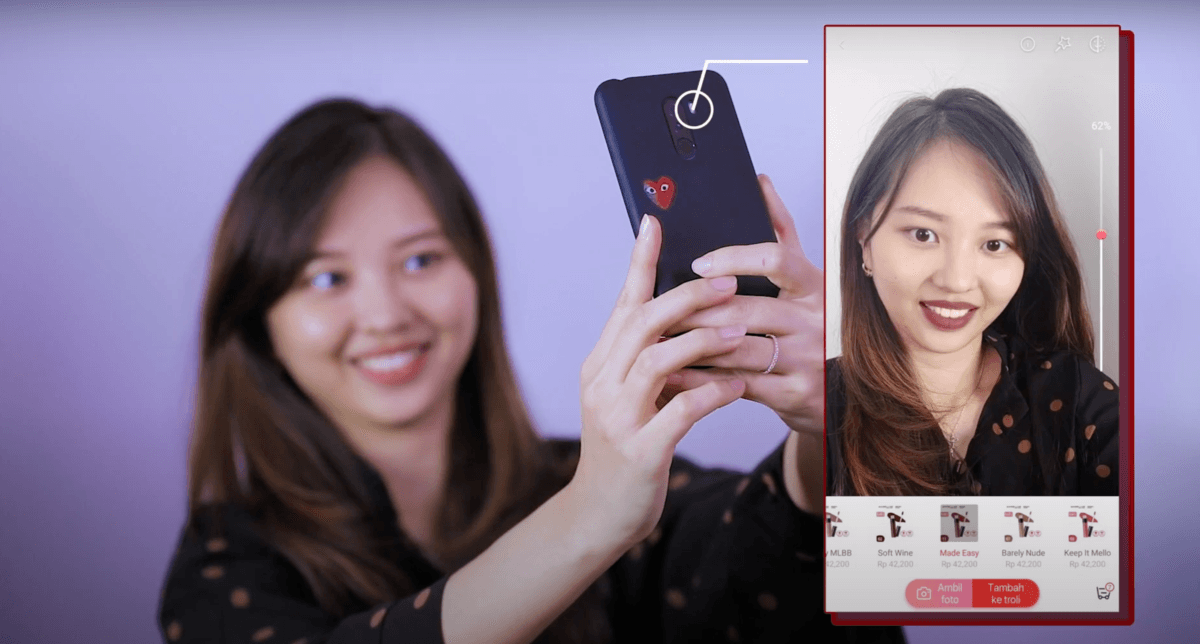
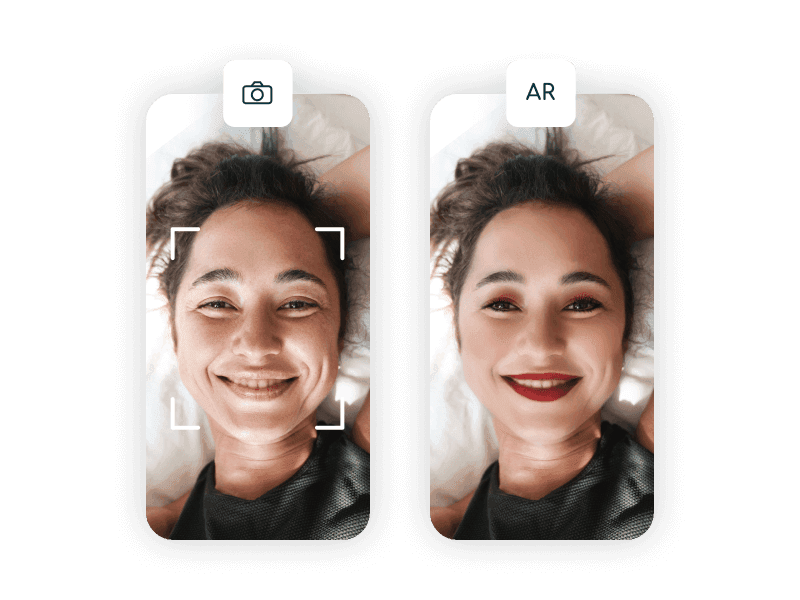
Virtual makeup try-on is on most large beauty sites now. The shopper taps a lipstick swatch, the camera opens, and the lips change colour as the head moves. Underneath it, software finds the face, draws the product onto it and estimates the light in the room. The light estimate is where the shade goes wrong.
We don't build makeup try-on. Our work is 3D models, web AR and eyewear try-on, which use the same face tracking and rendering.
Finding the face
The phone or browser runs a model that takes each camera frame and returns a few hundred landmark points on the face: the outline of the lips, the eye openings, the brow line, the cheeks and the jaw. Those points are joined into a low-resolution 3D mesh that sits over the real face and moves with it.
Face tracking of this kind runs at full frame rate on a mid-range phone and inside a browser, and it holds through head rotation and most expressions. When a lipstick lags or slides off the lips as the shopper smiles, the fault is in that site's build.
Drawing the colour onto the mesh
With the mesh in place, the product has to be drawn on it. For lipstick that means masking the lip region and blending a colour into those pixels. For eyeshadow it is a soft gradient over the lid that follows the eye shape. Foundation covers the whole face, which is the hardest case, because the software has to shift the skin tone and still leave it looking like skin.
The colour is blended with what is already in the frame. A good implementation keeps the luminance of the shopper's own skin and lips, so the highlights, the shadow at the corner of the mouth and the fine texture show through the colour. When that step is skipped, a flat colour is laid over the region and the lips look like a sticker.
Finish is the other half of the problem. A matte lipstick, a satin and a high gloss differ mostly in how they reflect light, so the renderer has to add specular highlights that move as the head turns. Glitter and shimmer need a sparkle layer of their own. Without this, every shade in a range reads as the same product in a different colour.
Estimating the light in the room
The camera doesn't tell the software what light the shopper is standing in. A warm ceiling bulb, a window on an overcast day and office fluorescents produce different pixels for the same skin, and the phone's own auto white balance and auto exposure have adjusted all of it before the try-on code sees a frame.
So the renderer estimates the light. It works out the colour temperature and brightness of the scene from the image and shifts the product colour to match. When the estimate is close, the result is convincing. When it is off, the shade on screen comes out warmer or cooler than the shade in the tube, and the lipstick that arrives differs from the one the shopper chose.
Where the colour error comes from
Colour error enters at several points between the product and the screen.
| Source of error | What goes wrong | Can it be controlled? |
|---|---|---|
| Camera sensor and processing | Every phone model renders skin slightly differently, and auto white balance shifts mid-session | No, not from a web page |
| Ambient lighting | Warm, cool and mixed light all change the apparent colour of the product | Partly, through estimation |
| The shopper's display | Screens differ in brightness, gamut and colour profile | No |
| The product data | The digital swatch has to be measured from the real product | Yes |
The last row is the one a brand controls. If the digital shade was eyedropped from a marketing image instead of measured from the product, the try-on is wrong before the camera is involved.
Undertone matters more than hue for the same reason. Shoppers are rarely choosing between red and pink. They want to know whether a particular nude suits their skin, which depends on how two colours sit together, and an error of a few percent in either one changes the answer.
What try-on does well
Try-on narrows a large range to a shortlist, which helps the shopper choose even when the final colour is a little off.
Shape and placement questions are answered well. Where a liner sits, how wide a brow looks and whether a blush placement suits a face are questions of geometry, which the face mesh measures well.
Eyewear try-on uses the same face tracking
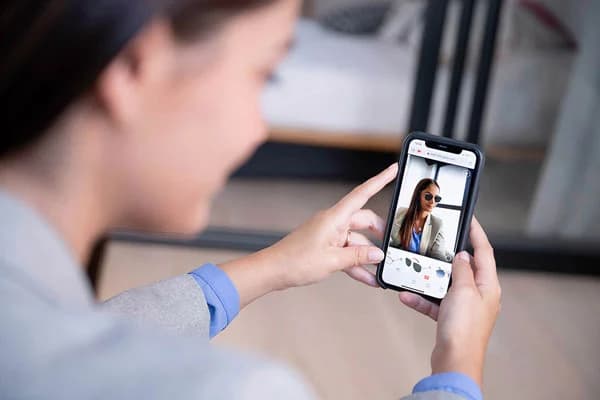
Eyewear is work we do build, and it runs on the same face mesh. A frame is a rigid object with fixed dimensions, and the same mesh places a frame on the bridge of the nose at the right width and scale, because that is a geometry question and not a colour one. No colour has to match the shopper's skin.
Fittingbox's 2025 report, cited in Shopify's write-up on AR shopping, found that 54 percent of customers who were not ready to buy glasses online wanted to check that the frames fit properly, and that 29 percent of glasses shoppers had already used virtual try-on at least once.
Questions to put to a try-on vendor
Ask where the shade data comes from and how the software handles ambient light. If the shade data is anything other than colour values measured from the physical product, the try-on can't show an accurate shade. If the lighting answer is vague, expect it to work in a bright, neutral room and poorly elsewhere.
Add a line on the product page saying that on-screen colour is a guide and varies with lighting.
Colour questions can go to try-on, with that caveat. Shape, size and scale questions, which cover packaging, tools, devices and most accessories, are better answered by a 3D model, where the measurements are exact.