3D for e-commerce5 min read
Three ways to make a 3D model from photos, compared
Photogrammetry, manual modelling and AI generation all make a 3D model from photos. What each one produces, what it costs and which suits a product page.
By CharpstAR · 21 Mar 2023 · Updated 9 Oct 2026
Part of 3D models for e-commerce: the complete guide
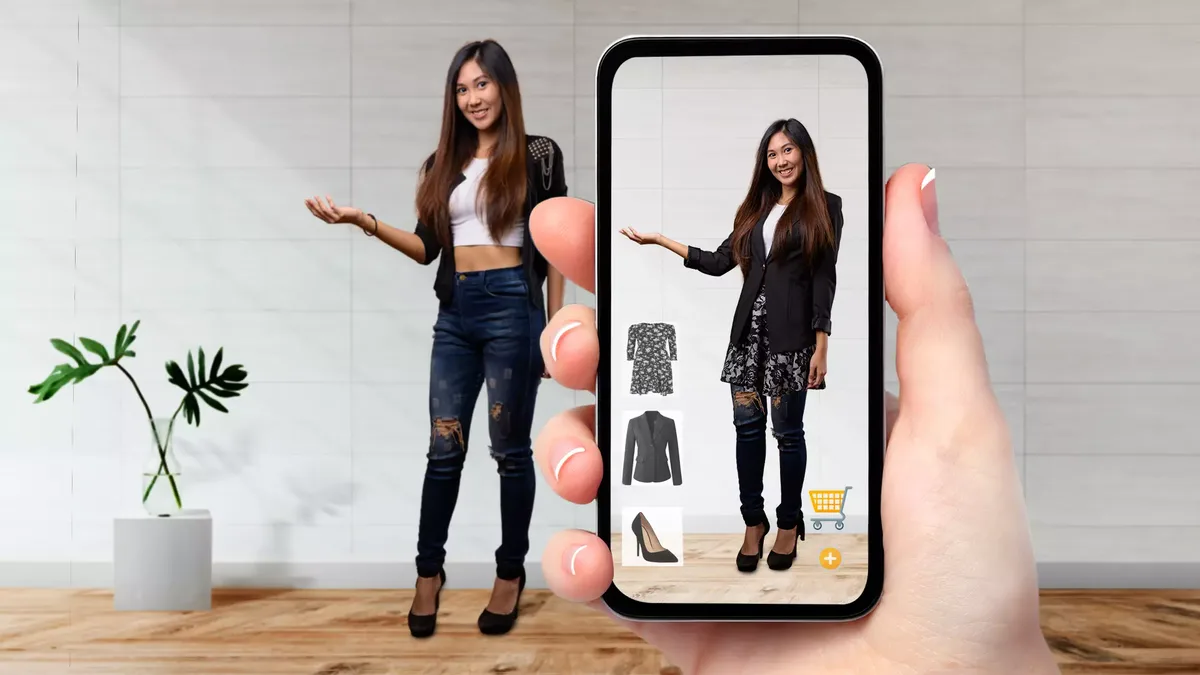
The question we are asked most often is whether we can make a 3D model from product photos. We can, with one qualification. Photos on their own are not enough, and the method that sounds most automatic is usually the wrong one for a product page.
There are three routes to it, and they produce different things.
Route one: photogrammetry
Photogrammetry rebuilds geometry from many overlapping photographs of a real object. The software finds the same feature across images, works out where each camera stood, and builds a dense point cloud, then a mesh, then a texture baked from the photos.
It needs the physical object and a proper capture, meaning dozens to hundreds of images from every angle, even diffuse lighting, and a turntable or a careful walk-around. A handful of marketing photos will not do, because they do not cover the object and were not shot for reconstruction.
What it is good at: organic, irregular, detailed objects. Anything with a complex surface that would take an artist a long time to sculpt, such as a carved wooden object, a shoe with a complicated sole or a stone finish.
What it is bad at: anything shiny, transparent, dark or featureless. Glass and polished metal defeat it, because the method relies on the same surface point looking the same from different angles and reflections break that. Flat plain surfaces confuse it for the opposite reason, since there is nothing to match. A white sofa in a bright room is a hard case.
What you get: a dense, messy mesh, often hundreds of thousands of triangles, with lighting and shadows baked into the texture. It is a scan rather than a product asset. Turning it into a web-ready model means retopologising the geometry, unwrapping new texture coordinates and rebuilding the materials so they respond to light instead of carrying the studio's light inside them. That cleanup is more work than people expect, and it is where most of the cost sits.
Route two: manual modelling
An artist builds the geometry from reference. For a manufactured product the reference is photographs plus a dimension sheet, and ideally the CAD or the technical drawing.
What it is good at: manufactured goods, which is nearly everything sold online. Furniture, appliances, electronics, sanitaryware, stoves. These objects are made of describable shapes at known dimensions, which is what a modeller works from.
What you get: clean geometry at the polygon budget you asked for, correct real-world scale, materials authored as separate PBR maps, and a source file you can change next season. It is the only route that reliably produces an asset that works in AR, because AR is unforgiving about scale and photogrammetry inherits the scale of whatever reference it was given.
The cost: artist time, which is the highest of the three per model and the only one that can be quoted in advance.
Route three: AI generation
Image-to-3D models now produce a mesh from one or a few photographs in minutes. The output has improved a great deal and keeps improving.
What it is good at: speed, volume, and anything where approximate is fine. Background objects in a scene, concept exploration, a rough blockout for an artist to work over, or a large catalogue where nobody will look closely at any single item.
What it is bad at: exactness. The model is a plausible object consistent with the photo rather than a measurement of your product. Hidden surfaces are invented, because the system never saw the back. Proportions drift. Fine detail is smoothed over or made up. Scale is arbitrary unless you set it.
The test: put the generated model next to the product's dimension sheet. If the depth is 8 percent out it cannot be used for AR, because the customer will place it in a room to answer a question about space and get a wrong answer.
The comparison
| Photogrammetry | Manual modelling | AI generation | |
|---|---|---|---|
| Needs the physical object | Yes | No | No |
| Needs a proper photo shoot | Yes, dozens of images | No, a few good images | No, one or two |
| Dimensionally accurate | Only with a scale reference | Yes, to the spec sheet | No |
| Handles gloss, glass, dark finishes | Poorly | Yes | Variable |
| Output ready for the web | No, needs heavy cleanup | Yes | No, needs cleanup |
| Editable next season | Awkward | Yes | Awkward |
| Cost per product | Medium, plus cleanup | Highest | Lowest |
| Suitable for AR at real scale | With work | Yes | No |
How a product-accurate model gets made from photos
For the manufactured goods we work on, the process is the same each time.
- Collect the inputs. Photographs from several angles including the back and underside, the dimension sheet, material specifications with fabric or finish names, and close-ups of the surfaces. If CAD exists it replaces most of the guesswork and lowers the cost.
- Block out to the dimensions first. The main shapes are built to the measurements before any detail, so scale is right from the start.
- Add detail against the photographs. Seams, stitching, hardware, radii, the things that identify it as this product and no other.
- Build materials as PBR maps. Scanned or colour-referenced where possible. A supplier marketing photo is never used directly as a texture, because it carries baked lighting.
- Review against the real thing. Side by side with the photos, and against the spec sheet with a measuring check.
- Export for the web. A GLB within the platform budgets, plus a USDZ for iOS. Shopify's guidance puts an ideal GLB around four megabytes; Google recommends Scene Viewer models under 10 megabytes, under 100,000 triangles and textures at 2048 by 2048 or below.
- Keep the source file. The web export is a compressed version of the asset, and the source is what gets edited later.
The measurement sheet in step one is the part people skip, and it decides whether the result is a picture or a product. Photos only carry appearance. The size has to come from measurements, and size is what the model is for in AR.
Which route to pick
If you sell manufactured products and want them on product pages in AR, manual modelling from photos and measurements is the answer, with the other two as tools inside that process. If you need to digitise a hundred irregular physical objects you own, photogrammetry with a cleanup budget is the efficient path. If you need volume and approximate is acceptable, AI generation has become useful, as long as nobody downstream believes the dimensions.
Send us one product with its photos and measurement sheet and we will build the model for free, so you can judge the result. Free sample here. How we work and what it costs are on solutions and prices.