3D for e-commerce6 min read
3D product visualization explained: model, viewer, render, configurator, AR
Plain definitions of the five things people mean by 3D product visualization, how they relate, what each costs you, and which ones your shop actually needs.
By CharpstAR · 22 Sept 2026
If you have started looking into 3D for your shop, you have run into five words used almost interchangeably by people who should know better: model, viewer, render, configurator and AR. They are five different things with different costs and different purposes, and confusing them is how projects end up buying the wrong one.
This page is the glossary. Read it before the first vendor call.
1. The 3D model
The model is the underlying asset. Everything else on this page is something you do with it.
A 3D model of a product has two halves. The geometry is the shape: a mesh of triangles describing the surface of the object. The materials describe what the surface is made of: colour, roughness, how it reflects light, whether it has a woven texture, whether it is metal.
A good product model is accurate to the real dimensions and textured so that the oak looks like your oak rather than generic wood. Accuracy matters more than you would expect, because as soon as the model goes into AR at real size, any error in your dimensions becomes something a customer can walk around.
The two formats you will hear about are GLB (a packaged version of glTF 2.0, used on the web and by Android) and USDZ (Apple's format, used by iOS). A product page model needs both, and your supplier should handle the conversion.
Size matters. Google's Scene Viewer documentation recommends models under 10 MB with a hard limit of 15 MB, textures at 2048 by 2048 or below, and 30,000 to 50,000 triangles as the ideal range. Shopify puts the ideal GLB at around 4 MB. A model that ignores these is not a product page model; it is one built for a film.
2. The 3D viewer
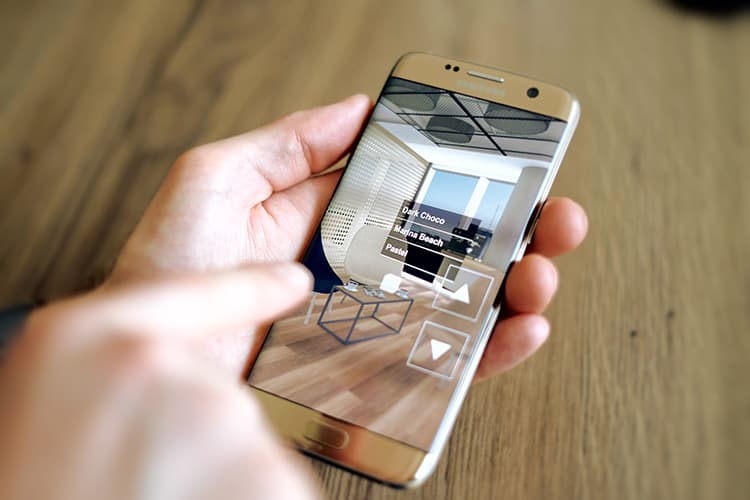
The viewer is the thing on your product page that shows the model and lets the shopper spin it. It runs in the browser, on every device including desktop.
This is the most used and least discussed piece of the stack. Rotation is a low-cost action: no permission prompt, no camera, no app. On most pages we work on, far more shoppers rotate the model than open AR, so if you are budgeting for AR and treating the viewer as a side effect, you have the priorities backwards.
A good viewer starts at a flattering camera angle, loads behind a poster identical to its first frame, offers dimension lines, supports hotspots, and is usable with a keyboard.
Finish
Log store
Floor plate
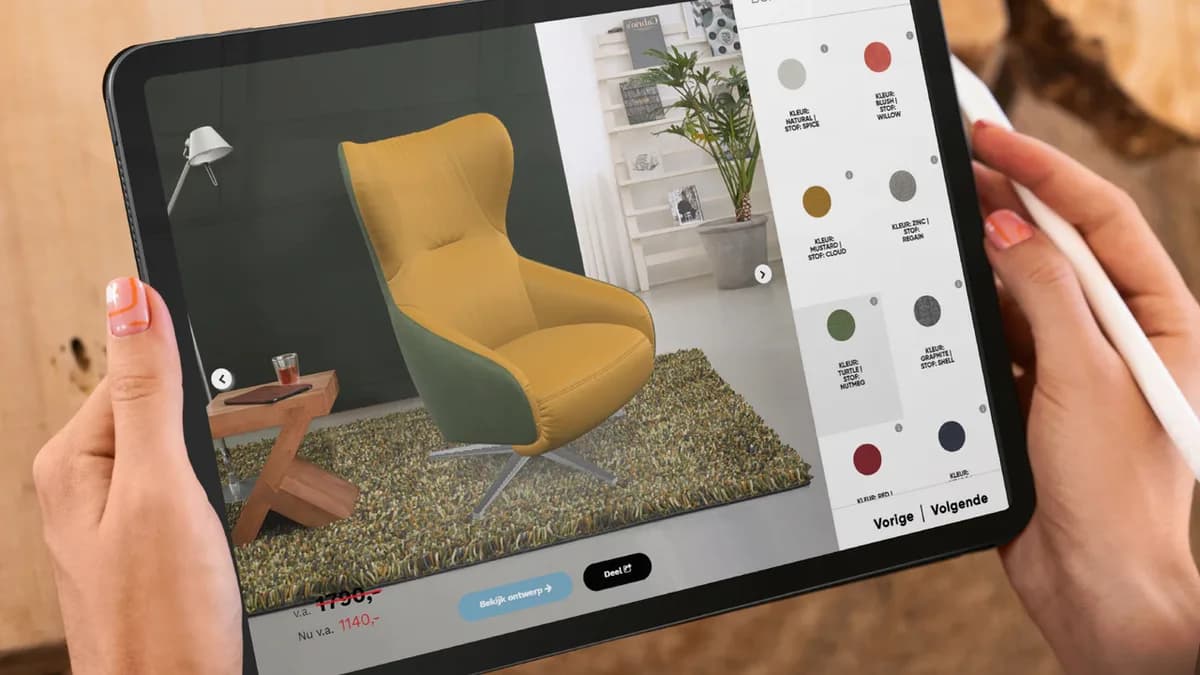
This is a 3D viewer with a configurator on top of it. One model, rendered live in your browser, spun and changed by you rather than by a video.
3. The render
A render is a still image, or a video, produced from the model by a piece of software that simulates light.
This is the same asset used a different way. Instead of shipping the model to the shopper's browser, you photograph it virtually: put it in a lit room set, choose a camera angle, and export a JPEG. The output is a normal image file that goes anywhere a photograph goes, including print.
Renders are where a lot of the return on a 3D budget quietly comes from. A model built once can be rendered in every colourway, in six room settings, at any angle, without hiring a studio or waiting for the item to exist. For catalogues that reshoot seasonally, this can offset much of the modelling cost.
4. The configurator
A configurator lets the shopper change the product and see the result immediately in 3D. Fabric, finish, leg style, module layout, size, left-hand or right-hand chaise.
Technically it is the viewer plus rules: which options exist, which combinations are allowed, what each costs and what it does to the lead time. The 3D part is the easy half. The hard half is your product data, because a configurator makes every gap in your option rules visible.
This is the piece with the strongest competitive case, because a marketplace listing structurally cannot copy it. It is also the most expensive, and pointless on a fixed-spec product.
5. AR
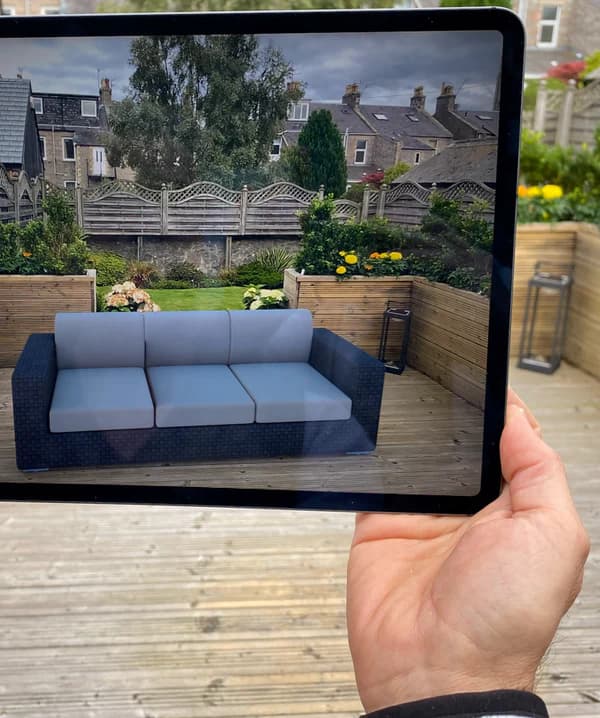
AR, augmented reality, means placing the model into the shopper's camera view at real size.
On iPhone and iPad this is Apple's AR Quick Look, built into iOS and iPadOS since version 12, which takes a USDZ file and works in Safari without any app. On Android it is Google's Scene Viewer, which takes a glTF or GLB file and requires an ARCore supported device running Android 7.0 or later with current Google Play Services for AR.
Nothing gets installed. Your site hands the phone a file and the operating system does the rest. That is why "web AR" is not a separate technology, just the name for doing this from a browser rather than from an app.
AR answers one question extremely well: does this fit in my space, and what does it feel like at that size in that room. For furniture, appliances, lighting and large decor, that is often the question blocking the purchase.
How they fit together
| Thing | What it is | Where it lives | Needs |
|---|---|---|---|
| Model | The 3D asset itself | A file, GLB and USDZ | Accurate dimensions, references |
| Viewer | Interactive rotation in the page | Product page, all devices | The model, a poster, page integration |
| Render | Still image or video from the model | Anywhere a photo goes | The model, a lit scene |
| Configurator | Shopper changes options live | Product page | The model, plus option rules and pricing data |
| AR | Model at real size in the room | The shopper's phone | The model in both formats, an AR button |
The single point worth taking away: you buy the model once, and the other four are things you do with it. That is why the per-product cost looks different once you count what it replaces.
What the evidence says it is worth
Shopify reported in 2020 that interactions with products carrying 3D or AR content converted 94 percent more often than the same kind of products without, and published Rebecca Minkoff results showing shoppers 44 percent more likely to add an item to cart after viewing it in 3D and a 65 percent purchase lift on AR-enabled pages. Oakywood reported average order value up 458 percent in Germany, 232 percent in Switzerland and 84 percent in the UK after adding Shopify AR and 3D customisers.
Read those as evidence the effect is real, not as a forecast for your shop. They come from merchants who chose which products to model, and modelling tends to come with other page improvements.
On returns, be careful. The National Retail Federation and Appriss Retail put United States returns at 743 billion dollars in 2023, 14.5 percent of sales and 17.6 percent online. AR reduces the returns caused by something being the wrong size for the space. It does not touch colour disappointment or quality complaints.
What to buy first
For most shops the order is: model your top sellers, put a good viewer on the product page, turn on AR because it is nearly free once the model exists, use renders to replace part of the photography budget, and build a configurator only if you sell configurable products.
That is what our clients converged on. Sweef needed the configurator because modular sofas are their business. Contura needed AR because stove clearances decide the purchase. MELIMELI got most of its value from reusing models across shop and campaigns.
If you want to see all five applied to something you actually sell, we will build a 3D model of one of your products for free. Send us one product and it is yours to keep. What we build beyond that is on solutions and prices: Basic from $10 per product per month on 12 months with a minimum of 100 variants, Value from $20 per model per month on 24 months, Enterprise quoted.
Sources
- Google, Scene Viewer documentation.
- Apple, AR Quick Look.
- Shopify, 3D e-commerce.
- Shopify, merchant data on 3D and AR content, September 2020.
- Shopify, AR shopping.
- National Retail Federation and Appriss Retail, 2023 Consumer Returns in the Retail Industry.