Furniture and home6 min read
What a furniture 3D model has to get right, and what shoppers do with it
Scale, materials and joins are what separate a furniture 3D model that sells from one that looks fake. Here is what each one means in practice.
By CharpstAR · 21 Mar 2023 · Updated 22 Sept 2026
Part of Augmented reality for furniture retail: the complete guide
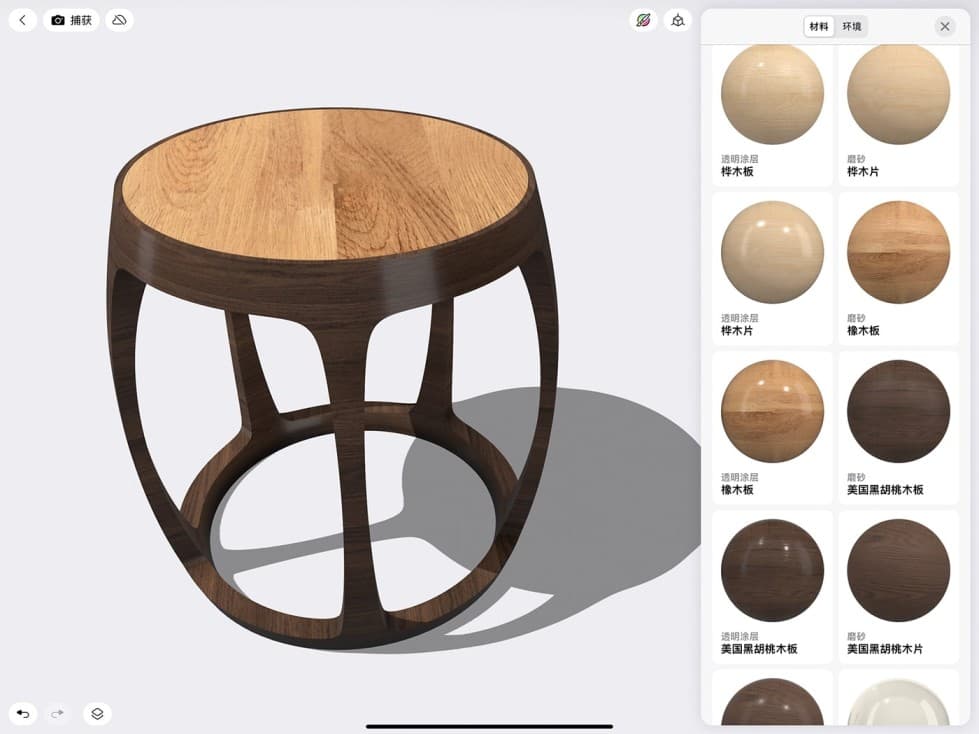
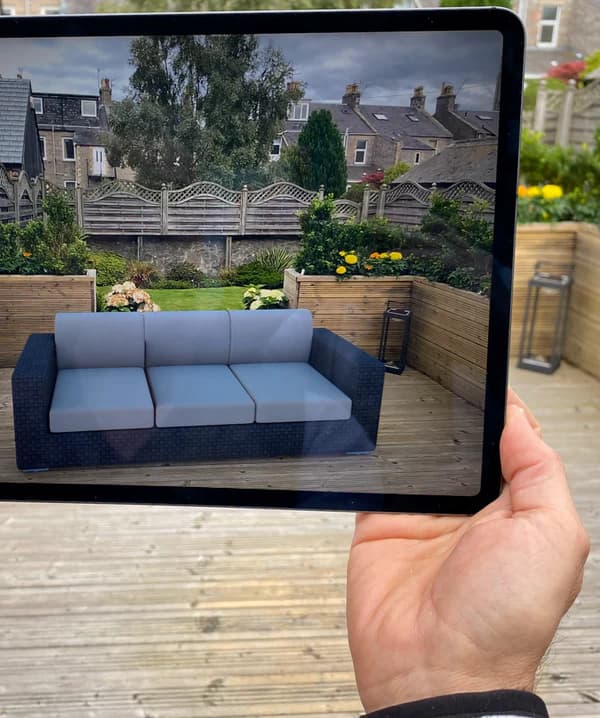
A furniture 3D model is a small file, usually a few megabytes, that sits on a product page and lets a shopper spin the product and then stand it in their own room through a phone camera. That is the easy part to describe. The hard part is that a furniture model is either right or it is worse than a photograph, and there is not much middle ground. A photograph that flatters is normal retail. A 3D model that lies is a return.
This article is about the three things a furniture model has to get right, why each one is hard, and what shoppers actually do with the model once it is on the page.
Scale, which is the whole reason the model exists
The single question furniture shoppers have is whether the thing fits. Not just whether it physically fits the floor space, but whether it fits the room visually, next to the sofa they already own, under the window, in a hallway with a radiator.
A model answers that only if its dimensions are exact. When the phone places a model in a room, it places it at the size the file says. If the seat height in the file is 45 centimetres and the real chair is 43, the model looks convincing and is wrong, and the shopper finds out on delivery day. Two centimetres does not sound like much until it is the clearance under a table.
So the first thing we ask a client for is measurements, not photographs. A modeller can infer a shape from photographs. Nobody can infer a seat height. The commonest reason a first furniture model takes longer than it should is that the measurement sheet arrives in pieces.
Materials, which is where most of the work goes
Geometry is quick. Materials are slow. A sofa is a box shape with cushions on it, and a competent artist builds that in a morning. Getting the fabric to read as that fabric, under a window in the afternoon and under a ceiling light in the evening, takes the rest of the week.
What has to be right:
- The weave. A flat colour swatch makes a sofa look like plastic. Real fabric has a texture that catches light differently depending on the angle, and that behaviour is what tells the eye it is cloth.
- The sheen. Powder-coated steel, brushed brass and oiled oak all reflect differently. Get this wrong and metal looks like painted wood.
- The wood grain. Oak, ash and walnut are distinguishable at a glance to anyone who has shopped for furniture. A generic wood texture on all three tells the shopper you did not care.
- The wear. Leather creases where people sit. A leather model with no creasing looks like vinyl.
This is the part of the job that clients underestimate and shoppers notice without being able to say why. When MELIMELI added a sofa configurator, the fabric library was the bulk of the build, because a shopper choosing between eleven upholstery options is making a material decision, not a shape decision.
Joins, which is what gives it away
The third thing, and the one nobody asks about until they see it done badly, is how parts meet. Where a chair leg enters the seat. Where a drawer front sits in its frame. Where a cushion meets the arm of a sofa.
Real furniture has tolerances. Parts have a small shadow gap, a visible seam, a tiny radius on every cut edge because nothing manufactured is a perfect sharp corner. A model built in a hurry has legs that intersect the seat like two shapes pushed together, and edges sharp enough to cut. The eye reads that as a computer image in about a second, even on a phone, even without knowing why.
Getting joins right is also what makes the model survive rotation. A shopper who spins a chair to look at the back is exactly the shopper who is close to buying, and the back of a chair is where a lazy model falls apart.
What shoppers actually do with it
Once the model is on the page, three behaviours show up.
| Behaviour | What it looks like | Why it matters |
|---|---|---|
| Rotate and zoom in the browser | Most common by far. Happens on desktop and mobile, no AR involved. | Answers construction and material questions that photos leave open. |
| Place in the room with the phone | Less common in raw numbers, much more common among people who go on to buy. | Settles the fit question, which is the one that causes furniture returns. |
| Configure, then place | Shoppers who are choosing a variant, a fabric or a layout. | Turns a customer service email into a one-minute self-service decision. |
That third row is the interesting one for furniture specifically. Sweef sells modular sofas, where the real question is which combination of pieces suits the room. Before the configurator, the answer came from an email exchange with a person. After it, the shopper builds the combination, looks at it in their living room at true size, and decides. The questions that used to reach customer service mostly stopped.
The numbers that exist
Shopify reported in 2020 that products carrying 3D or AR content converted 94 percent more often than comparable products without it. The same company's published customer results include Rebecca Minkoff, where shoppers who viewed a product as a 3D model were 44 percent more likely to add it to cart, and 65 percent more likely to purchase after viewing it in AR, and Gunner Kennels, which reduced return rates by 5 percent.
Treat those as directional rather than as a promise. They come from merchants who also improved their product pages in other ways at the same time, and the baseline matters. What they do establish is the direction of the effect, which is consistent across every published case: more accurate product information sells more and comes back less. For furniture, where the average order value is high and the return is a van rather than a postal bag, that arithmetic is unusually favourable.
Where to start
If you sell furniture and you have never had a 3D model made, do not start with the catalogue. Start with one product, preferably a mid-price bestseller with several variants, because that is where the effect is easiest to see against a known baseline. Give the modeller a complete measurement sheet and close-up photographs of every material. Put the model on the page, leave everything else alone for a month, and look at what the conversion rate and the return rate did.
We will build that first model for nothing so you can run exactly that test. Send us one product, with dimensions and photos, and the model is yours to keep whether or not you carry on. If you want to see what the full service covers first, the solutions page has it, and the prices page has the per-product monthly cost.